Intel NUC 9 Extreme for VMware ESXi

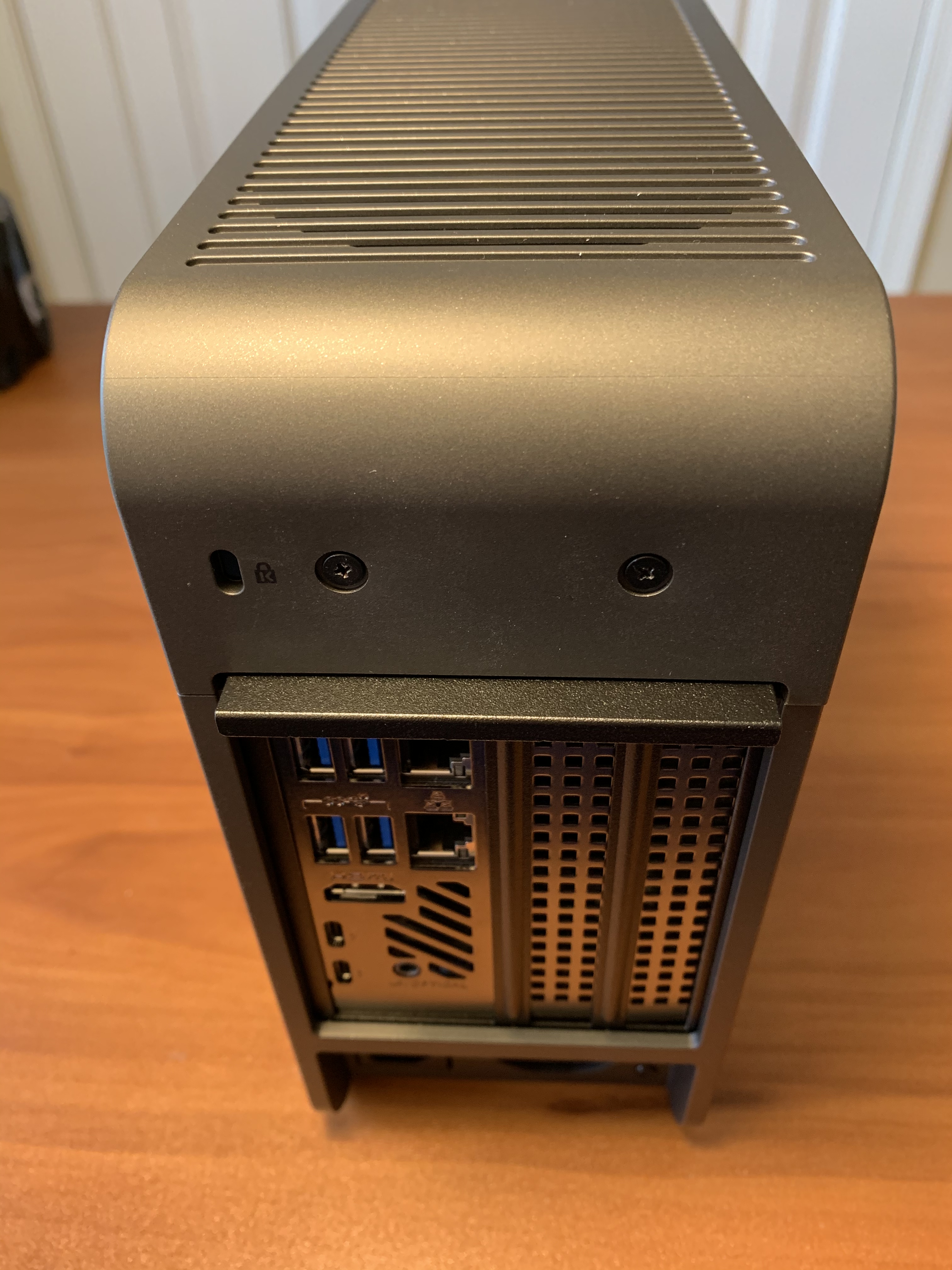
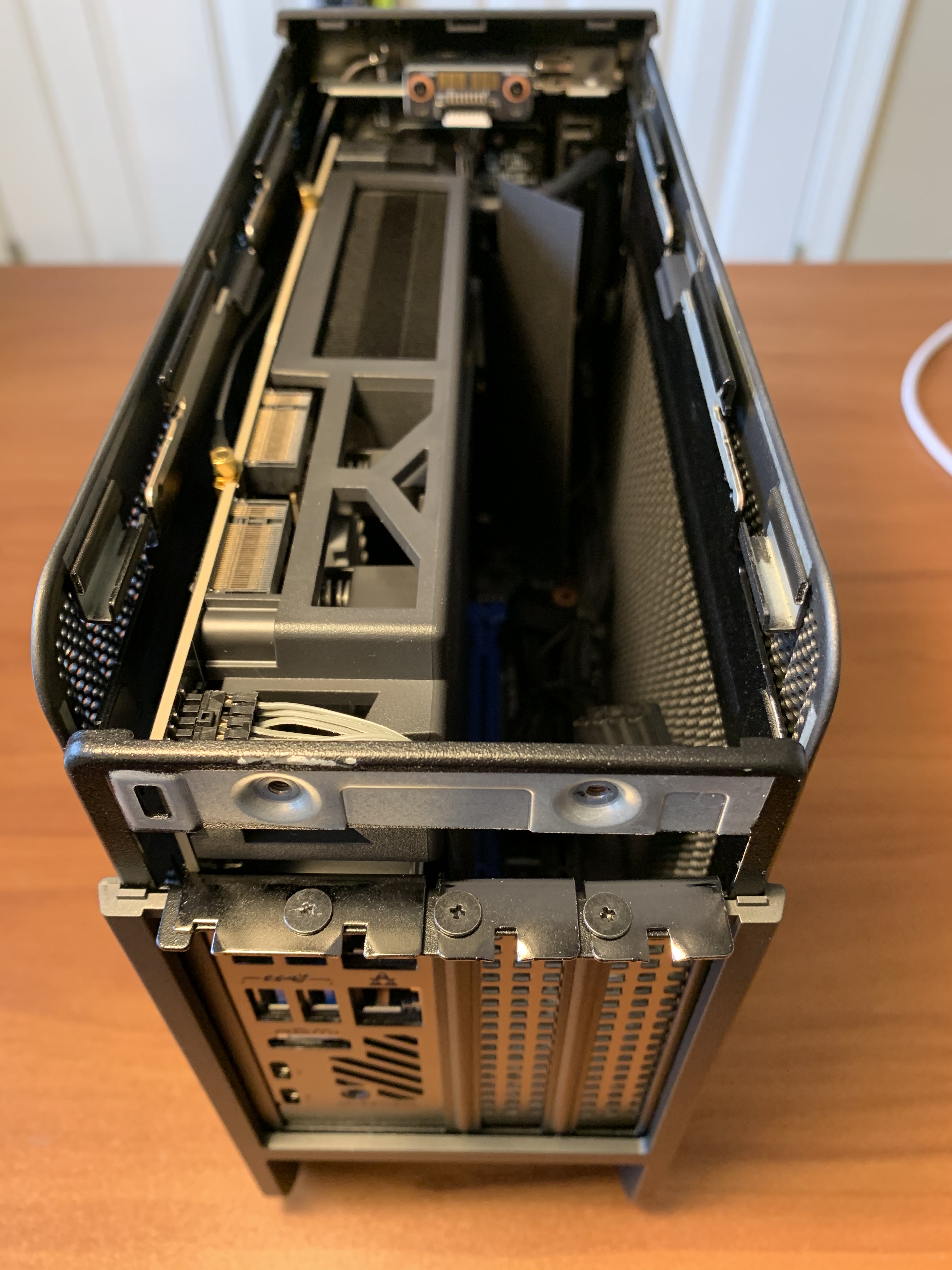
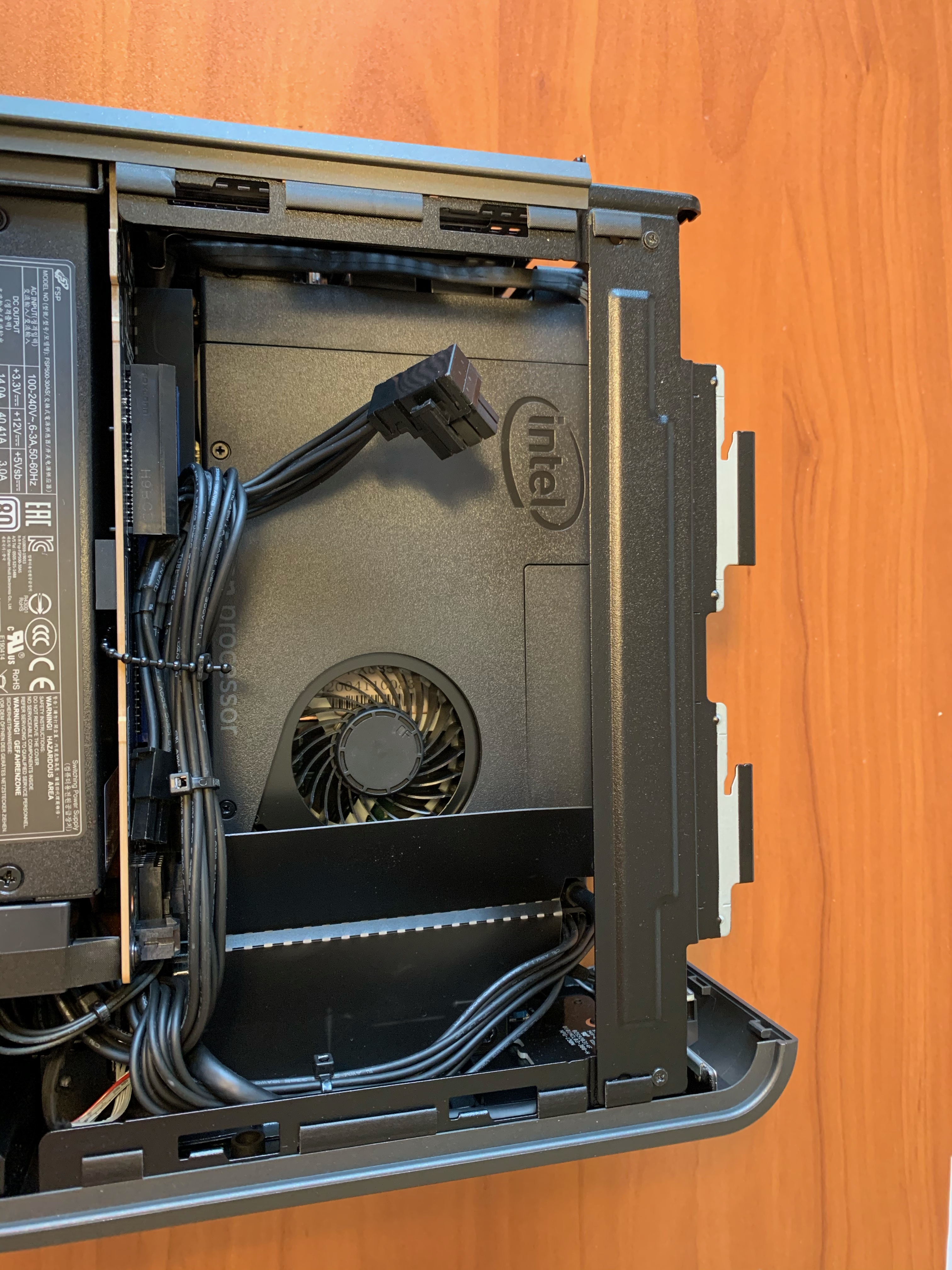
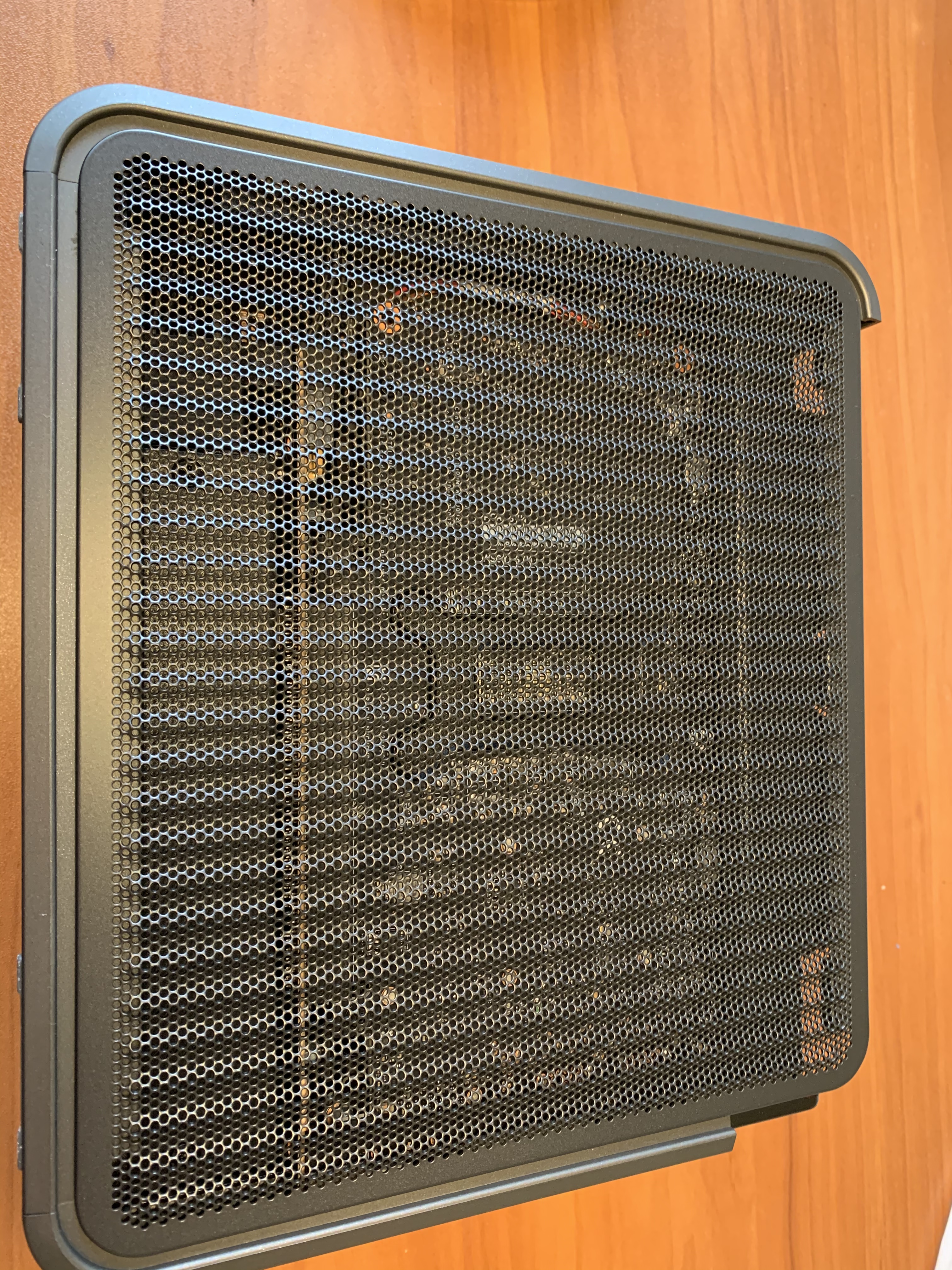
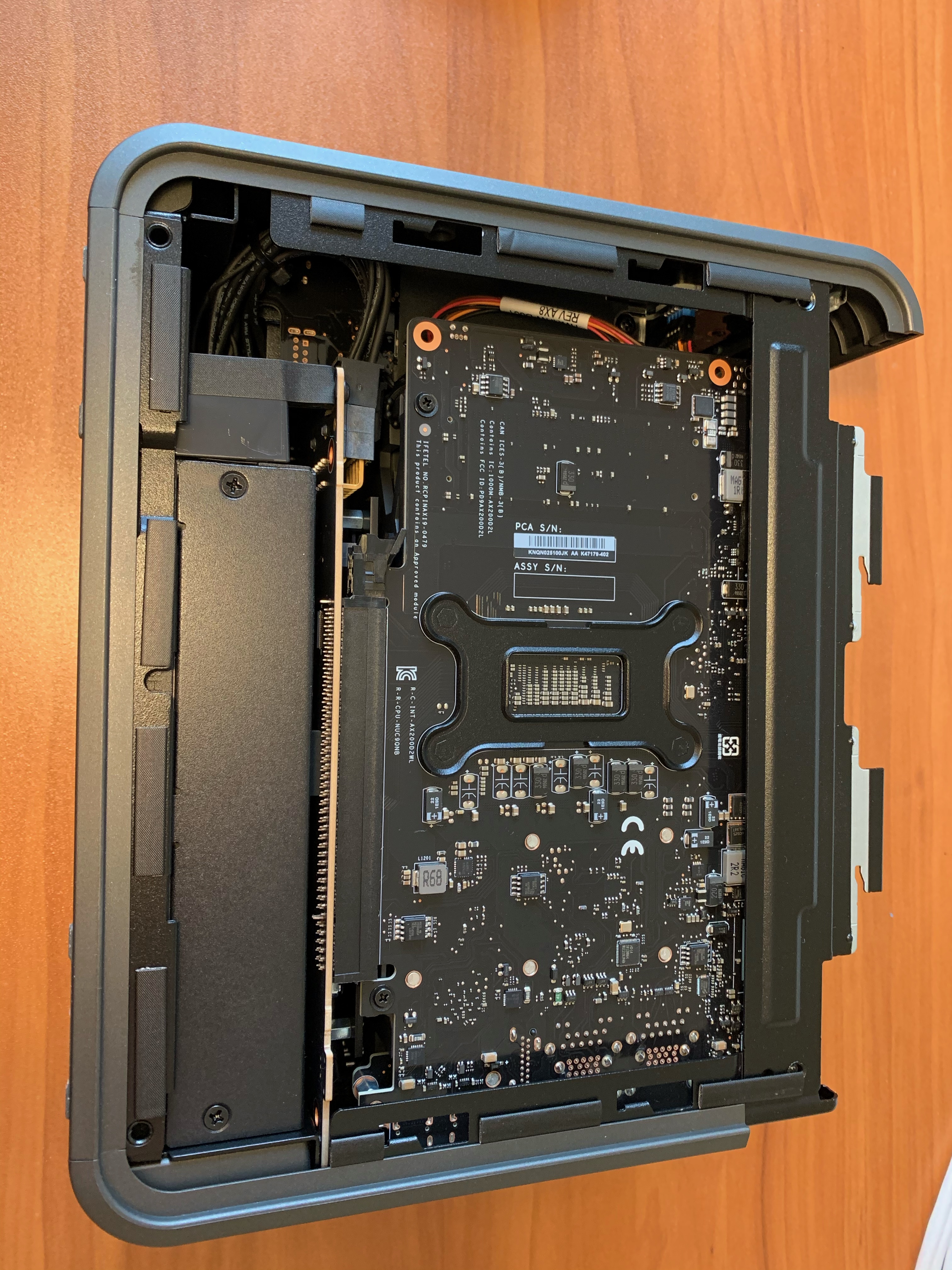
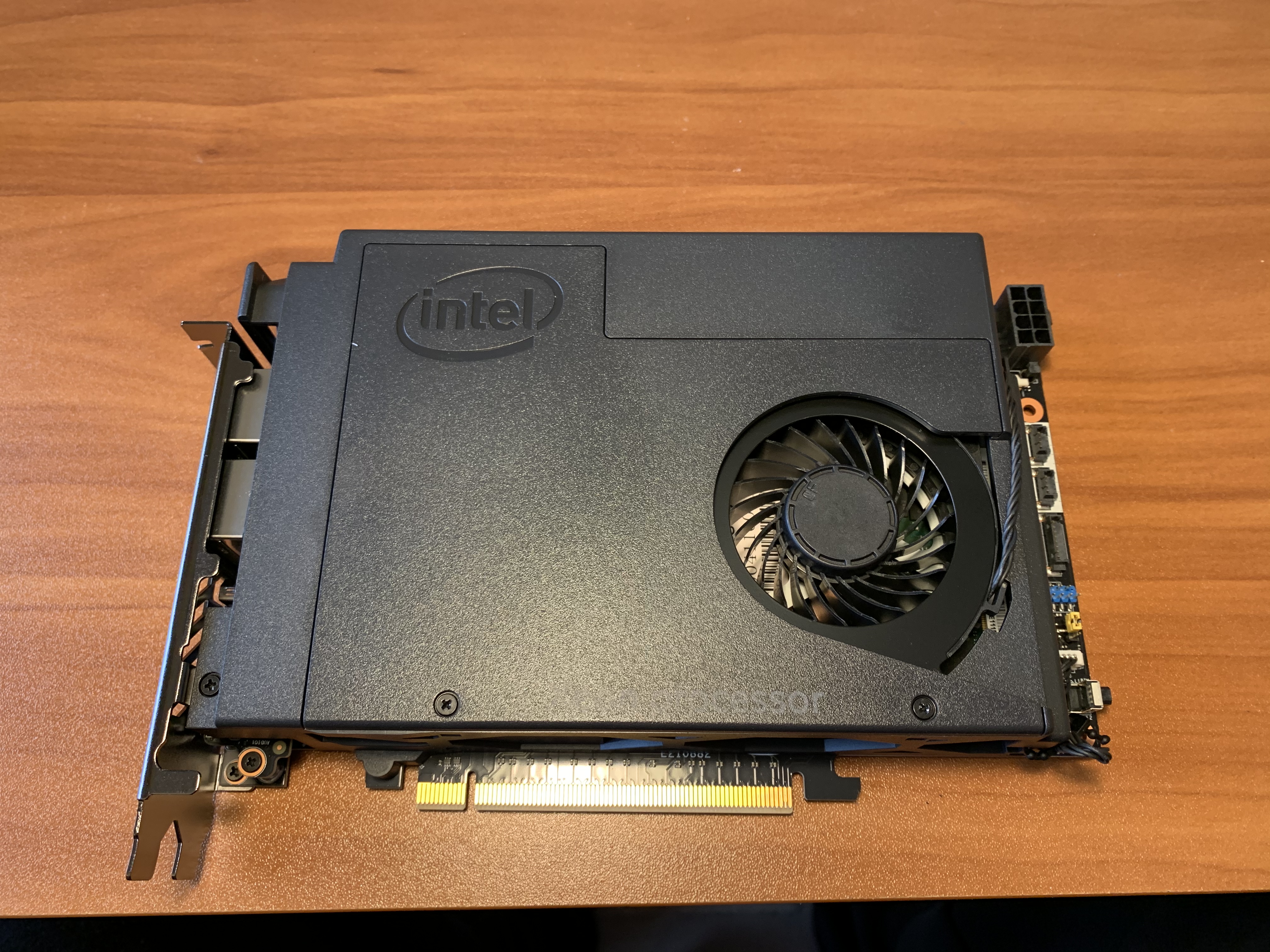
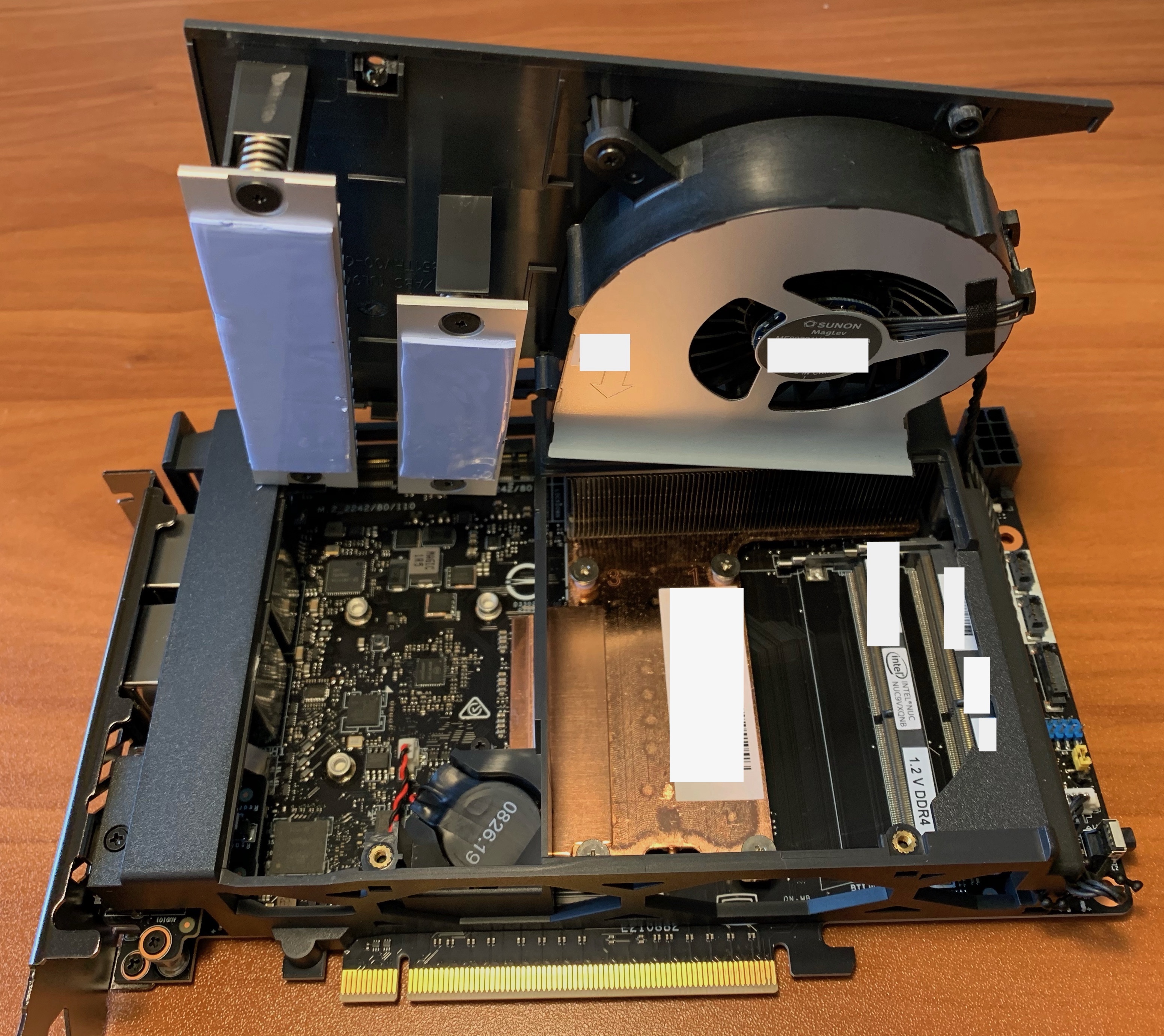
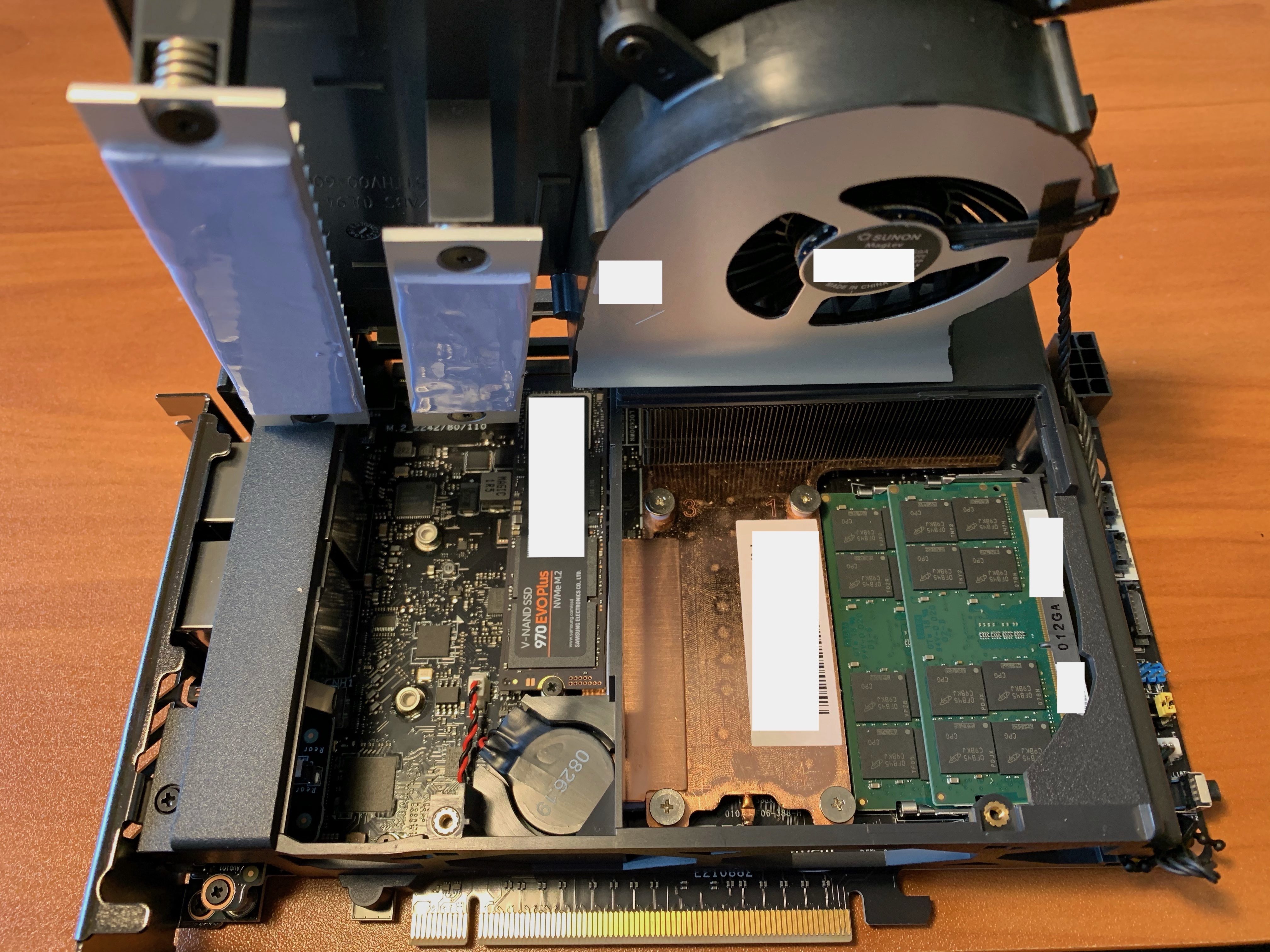
I recently setup an Intel NUC 9 Extreme with ESXi and found the included printed instructions a little vague. Here are some photos to show what the internals look like and where to install the RAM and NVMe M.2 devices.

What I like about the Intel NUC 9 Extreme:

  • Very compact form factor with loads of options
  • Has the NUC9VXQNX option for Intel Xeon E-2286M CPU 8 core (16 H/T) @ 2.4GHz Processor
  • Has Slots for 3 NVMe M.2 Devices (needed for vSAN config)
    • 1 Baseboard slot for ESXi Boot (42/80/110mm slot)
    • 2 Intel CPU Module Slots for vSAN Cache and Capacity drives (42/80/110mm slot & 42/80mm slot)
  • Supports up to 64GB SODIMM RAM
  • Two additional PCIe Slots for GPU & more NICs, if required
  • Has two USB-C ports for 10GbE adapters, if required
  • Two onboard 1GbE ports for management vmnics
  • ESXi 7.0.1 installs cleanly and runs without extra customization
  • Only need a small Phillips head screw driver to disassemble the NUC and install the RAM and NVMe M.2 devices

Intel NUC 9 Front, Rear and with top cover off

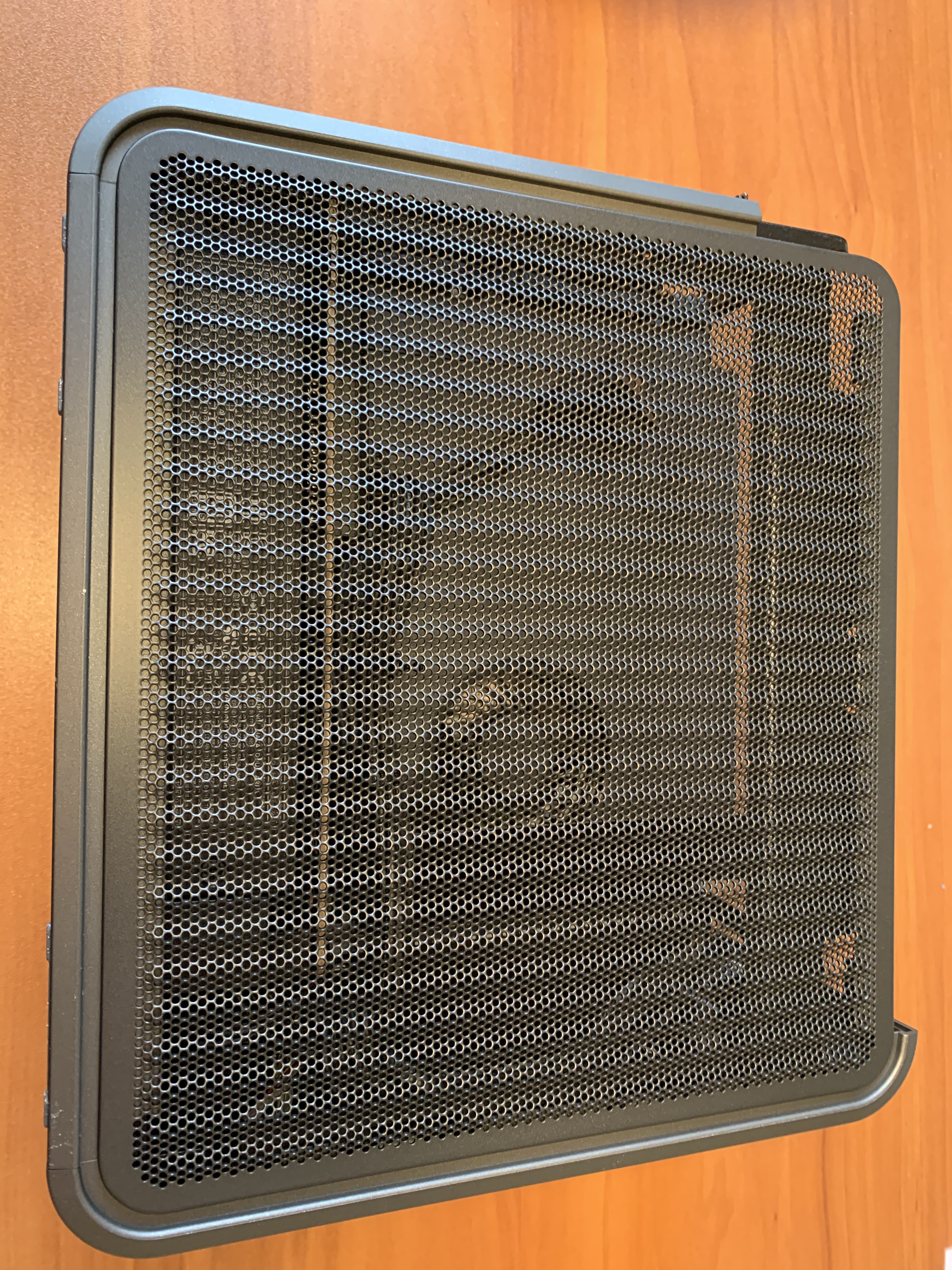
Intel NUC 9 sides with covers on and off

Intel NUC 9 Baseboard (with NVMe M.2 device heat-sink removed) and Intel CPU Module with SODIMM RAM modules and NVMe M.2 devices installed


VCDX – Modern Solutions

In the last month I have been involved in a few VCDX mocks. One of the things I have been explaining to VCDX candidates is the importance of being knowledgeable about modern infrastructure design and being able to articulate the business value.

List of articles in my VCDX Deep-Dive series (more than 90 posts)

The way the VCDX blueprints are written, you are encouraged to design a “Build Your Own” solution, which is the antithesis of cloud and the SDDC. Which leads to VCDX candidates following the “BYO” route without considering and understanding how automation, cloud and the self-driving SDDC functions and adds value to a customer.

Am I saying you need to be an expert in VMware Cloud Foundation and VMware Cloud? No, but I am suggesting that you need to be aware of it and be able to describe how it works and articulate the business value realized.

What “modern” VMware solutions am I referring to? Solutions such as the entire suite in VMware Cloud (vRA Cloud, Log Insight Cloud, Cloud Health, Tanzu, etc.), VMware Cloud Foundation (including VCF on VxRail), VMware Cloud on AWS (and all other hyperscaler VMware variants: Oracle, Microsoft, IBM, GCP, etc.), VMware vRealize Suite Lifecycle Manager, Horizon 7 on VMC on AWS/Azure, etc. And understand how the VMware Validated Design (VVD) framework relates to these solutions.

In my opinion, here are some suggestions on how you can weave this into your VCDX submission and the panel defense:

VCDX – Your Voice

As you go through the VCDX process, you will get a lot of feedback from your study group and the VCDX mentors you have mock sessions with. That feedback is a gift, you need it to evolve and grow the skills to be successful as a VCDX and an Architect. The trick is to take that feedback and incorporate it into your style of talking and presenting and make it yours. This includes filtering that advice and discovering what is best for you and what is not. I think of it as finding your “Voice”, the thing that makes you unique and is at the core of your identity as a person. And we are all different, what works for me, may not work for you.

List of articles in my VCDX Deep-Dive series (more than 90 posts)

Finding your voice takes time and effort. And making major changes to how you do things at one time should be avoided. You want to improve your game one step at a time. If a minor change works, keep it, if not, discard it and then move onto the next improvement.

During the mocks I was involved with in the past month, one of the candidates was asking me about how much information to share during the defense to reduce the “attack surface”. On this subject I have changed my mind over the years. My current thinking: if you know a particular subject or technology in-depth, you should talk about it and showcase your knowledge to the VCDX panel. Let them ask all the questions they want and if you do not know, then say so; you are there to demonstrate your skills and knowledge. For me personally, I have always found the process of “stepping around” certain subjects interrupts and impedes my flow, so it is better to just go for it and let the chips fall where they may.

NPX – The Right Hypervisor

I was talking to some potential NPX candidates the other day and I was describing the strategy for selecting the correct hypervisors for the NPX Design Review (NDR). Nutanix is a hypervisor agnostic platform, you can use ESXi, Hyper-V, AHV (KVM-base) or Citrix (for Citrix VDI only). The NPX candidate needs to choose two hypervisors as part of the NPX application form, one hypervisor for the NPX design submission and the second hypervisor for the NDR design scenario and the NDR hands-on scenario (troubleshooting). You cannot use the same hypervisor for both parts of the NDR (with the exception of a multi-hypervisor design submission, then you can choose what you want – thanks to Artur for this clarification).

The NPX Link-O-Rama is a great resource for all things NPX, including this applicable list of articles in my VCDX Deep-Dive series (more than 90 posts).

The Nutanix Acropolis Hypervisor (AHV) has come a long way in the 5-years since it was released, including the Nutanix hybrid cloud products that have become available during that time (e.g. Nutanix Era, Karbon, Objects, Clusters, Calm, Flow, Files, Leap, Beam, etc.). With that thought in mind, my recommendation to anyone considering the NPX journey would use AHV as the hypervisor of choice for the design submission. The reason being, using a third party hypervisor with Nutanix is incredibly complicated and you have to worry about integrating and customizing the technologies of two vendors just to get the on-site SDDC functioning correctly.

For example, if you selected VMware vSphere as the hypervisor, consider the complexity of the design to address the advanced ESXi settings, the deployment of vCenter Server (Nutanix Foundation does not automate this, only the ESXi/AOS imaging process), the customization of vCenter Server, the use of NSX-T for micro-segmentation, the advanced operational procedures to capture that complexity, etc.

With Nutanix AHV, you do not have this problem, Foundation images the nodes with Prism included as an AOS service, Prism Central is a multi-cluster manager and advanced operations manager, Nutanix Flow provides micro-segmentation (as a Prism Central service) which AHV natively supports and so forth. Using this strategy would significantly reduce the complexity of the design and decrease the number of hours needed creating the submission documents. Which makes sense, because Nutanix is all about customer delight and simplicity.

If you follow this strategy, you still need to demonstrate mastery of the second 3rd party hypervisor during the NDR design and hands-on scenarios, however you only need to talk about it, not write about it; which is a big difference.


VMC on AWS Link-O-Rama

The VMware Cloud on AWS Link-O-Rama Resource Page

This is an aggregation of resources for VMware Cloud on AWS and the 3rd party solutions that support the platform. If I have missed any other resources, reach out to me on Twitter and I will add them. This page will continue to evolve over time and fresh content will be marked as “NEW!”.

Official VMware Cloud on AWS Resources

Official AWS Resources for VMware Cloud on AWS

Official VMware Cloud on AWS Outposts Resources

VMworld Sessions

AWS re:Invent Sessions

VMC on AWS Blogs

VMC on AWS Videos

  • COMING SOON

3rd Party Integrations to VMC on AWS

VMC on AWS Training & Certification

Additional VMware Cloud Integrations

Additional AWS Cloud Integrations

vSphere 7.0 Join AD Error Code 1225

This post is applicable to customers using VMware vSphere 7.0 trying to join AD 2016 running on Windows Server 2019.

Problem:

  1. When trying to join AD from vCenter Server 7.0 via the vSphere Client, the error message “lcm client exception: Error trying to join AD, error code [1225], user [xyz], domain [xyz], orgUnit [xyz]” is reported. When using the “/opt/likewise/bin/domainjoin-cli join <domain> <user>” command, the error message “ERROR_CONNECTION_REFUSED code 0x4c9” is reported. The same domainjoin-cli message is also reported by ESXi. Note that 1225 is 0x4c9 in hexadecimal.

Solution:

  1. The AD Windows Servers need to have the Network Ethernet properties set to include the “Client for Microsoft Networks” and “File and Printer Sharing for Microsoft Networks” options enabled.
  2. Execute the Join AD procedure again and it will complete successfully.

Background:

VMworld 2020 Odyssey Challenge Recap

 During VMworld I participated in the VMworld 2020 Odyssey Challenge. It was the first time I participated in a competition of this type and I must say it was a lot of fun.

What is the VMworld Odyssey Challenge?

This is a competition that started at VMworld in 2019. It was originally a team-based competition where each team competes to get the highest amount of points in the shortest amount of time by completing very specific VMware solution tasks (e.g. vSphere, vSAN, vRA, Horizon, Tanzu, etc.). Due to COVID-19 and the VMworld Digital Event, the Odyssey Challenge evolved to be an individual competition that was run remotely.

How does it work?

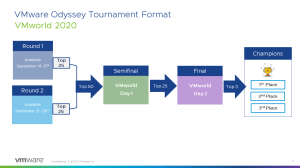
VMworld 2020 Odyssey had two separate tracks, the Americas and EMEA. Each had four rounds, with the top 25 rankings of Rounds 1 and 2 being moved into Round 3 for a total of 50 competitors. The top 25 of Round 3 then moved onto Round 4. The top 3 finishers of Round 4 received the prizes (First place: Intel NUC, Second place: Apple Watch, Third place: Bluetooth headphones). Rounds 1 and 2 were run in the previous 2-weeks leading up to VMworld and Rounds 3 and 4 were scheduled during the week of VMworld.
What does it cost to compete?

Only VMworld 2020 Premier Pass holders were allowed to register for Rounds 1 and 2. They appeared in the VMworld 2020 Content Catalog for attendees to sign up to.

What platform is used for Odyssey?

The VMware Hands on Labs is used to deliver the Odyssey Challenge lab environments. There is an Odyssey Challenge app that runs and validates that each task is completed (via PowerShell) before you can progress to the next task. Each Round of the competition typically has 4 to 5 tasks that need to be completed to finish the round.

What type of tasks do you need to complete?

It depends upon the Odyssey Lab being tested (e.g. vSphere, vSAN, NSX-T, Tanzu, etc.), but the first few tasks are quite simple (e.g. enable vSphere HA and DRS) and then the final 1 or 2 tasks will increase in difficulty and require advanced knowledge to complete. The trick to being successful, is to be able to complete the tasks quickly with a high level of accuracy with minimal use of Google. This means you need to have prepared yourself beforehand for each technology area. You can use the HOL lab that the Odyssey Challenge is based upon to practice in the days before the event. You receive points for completing each task and any additional time left on the clock from the 30-minute timer is also converted into points.

Is there any kind of live commentary while the competition runs?

For Rounds 1 and 2, no. But in Rounds 3 and 4, there was a live Twitch stream where VMware staff provide a running discussion as the Round progressed. There was also a Twitch stream where the winners for AMER and EMEA were interviewed.

How can you access Odyssey Challenge now?

VMUG sometimes runs the VMware Odyssey event as a separate competition and the VMware Hands on Labs has a library of Odyssey Challenges that you can access at anytime.

What were the results?

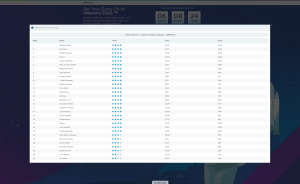
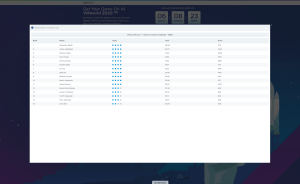
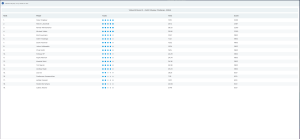
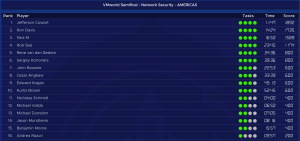
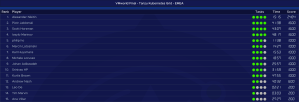
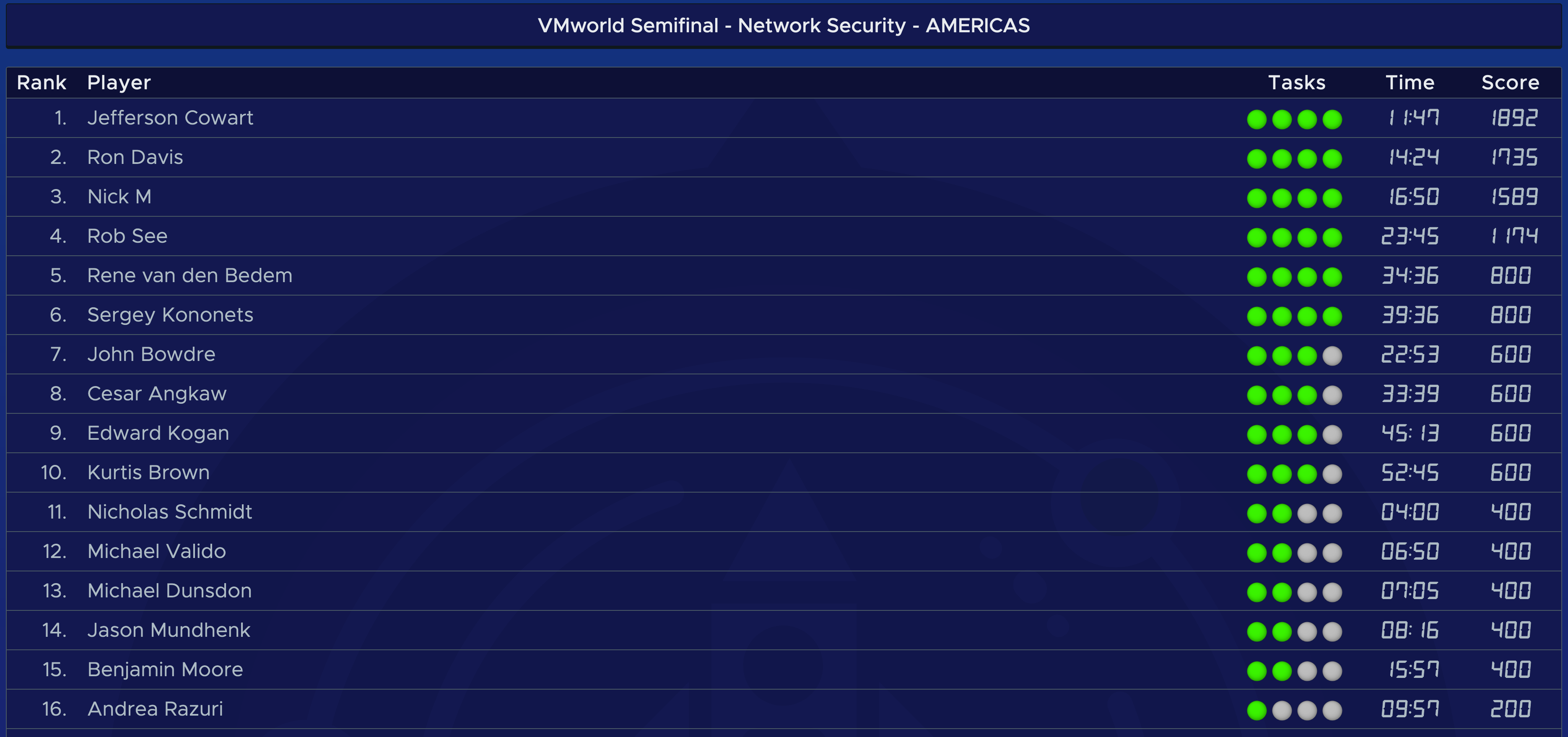
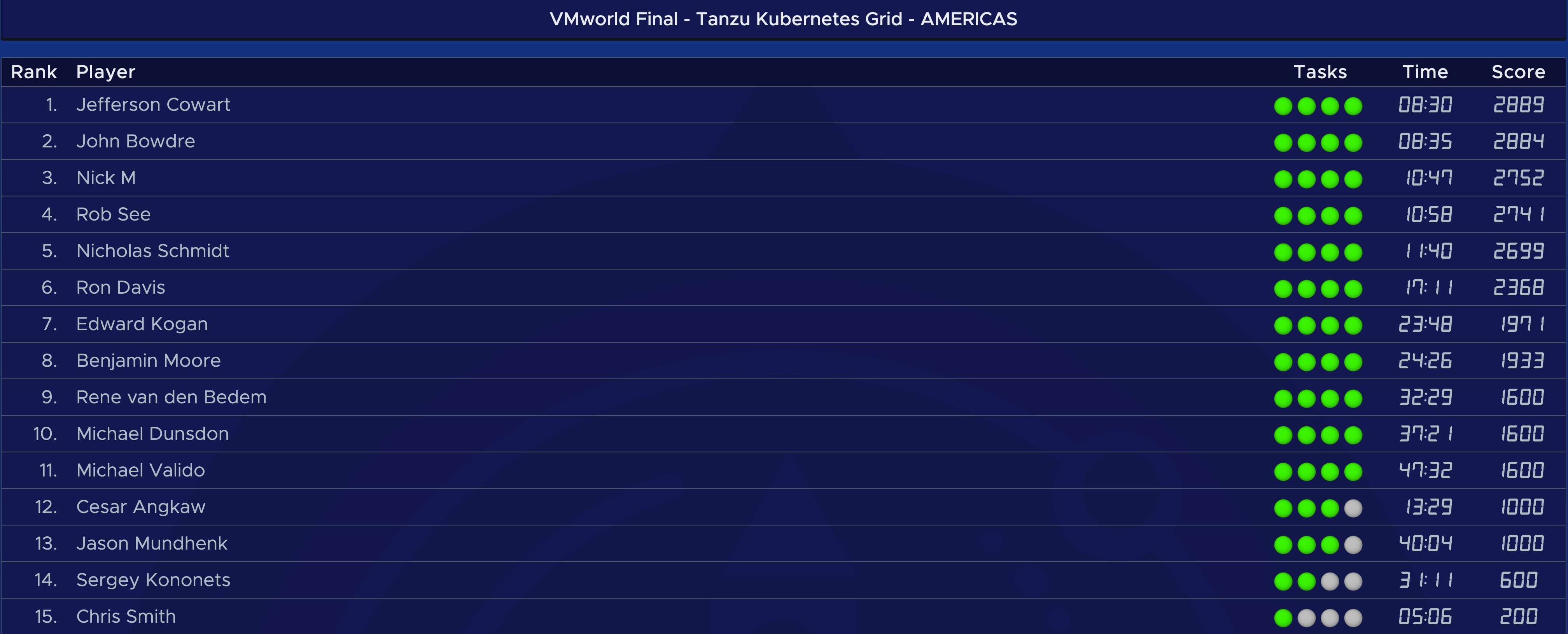
Screenshots of the results for AMER and EMEA Rounds 1 to 4 are below.