VCDX – Your Voice

As you go through the VCDX process, you will get a lot of feedback from your study group and the VCDX mentors you have mock sessions with. That feedback is a gift, you need it to evolve and grow the skills to be successful as a VCDX and an Architect. The trick is to take that feedback and incorporate it into your style of talking and presenting and make it yours. This includes filtering that advice and discovering what is best for you and what is not. I think of it as finding your “Voice”, the thing that makes you unique and is at the core of your identity as a person. And we are all different, what works for me, may not work for you.

List of articles in my VCDX Deep-Dive series (more than 90 posts)

Finding your voice takes time and effort. And making major changes to how you do things at one time should be avoided. You want to improve your game one step at a time. If a minor change works, keep it, if not, discard it and then move onto the next improvement.

During the mocks I was involved with in the past month, one of the candidates was asking me about how much information to share during the defense to reduce the “attack surface”. On this subject I have changed my mind over the years. My current thinking: if you know a particular subject or technology in-depth, you should talk about it and showcase your knowledge to the VCDX panel. Let them ask all the questions they want and if you do not know, then say so; you are there to demonstrate your skills and knowledge. For me personally, I have always found the process of “stepping around” certain subjects interrupts and impedes my flow, so it is better to just go for it and let the chips fall where they may.

NPX – The Right Hypervisor

I was talking to some potential NPX candidates the other day and I was describing the strategy for selecting the correct hypervisors for the NPX Design Review (NDR). Nutanix is a hypervisor agnostic platform, you can use ESXi, Hyper-V, AHV (KVM-base) or Citrix (for Citrix VDI only). The NPX candidate needs to choose two hypervisors as part of the NPX application form, one hypervisor for the NPX design submission and the second hypervisor for the NDR design scenario and the NDR hands-on scenario (troubleshooting). You cannot use the same hypervisor for both parts of the NDR (with the exception of a multi-hypervisor design submission, then you can choose what you want – thanks to Artur for this clarification).

The NPX Link-O-Rama is a great resource for all things NPX, including this applicable list of articles in my VCDX Deep-Dive series (more than 90 posts).

The Nutanix Acropolis Hypervisor (AHV) has come a long way in the 5-years since it was released, including the Nutanix hybrid cloud products that have become available during that time (e.g. Nutanix Era, Karbon, Objects, Clusters, Calm, Flow, Files, Leap, Beam, etc.). With that thought in mind, my recommendation to anyone considering the NPX journey would use AHV as the hypervisor of choice for the design submission. The reason being, using a third party hypervisor with Nutanix is incredibly complicated and you have to worry about integrating and customizing the technologies of two vendors just to get the on-site SDDC functioning correctly.

For example, if you selected VMware vSphere as the hypervisor, consider the complexity of the design to address the advanced ESXi settings, the deployment of vCenter Server (Nutanix Foundation does not automate this, only the ESXi/AOS imaging process), the customization of vCenter Server, the use of NSX-T for micro-segmentation, the advanced operational procedures to capture that complexity, etc.

With Nutanix AHV, you do not have this problem, Foundation images the nodes with Prism included as an AOS service, Prism Central is a multi-cluster manager and advanced operations manager, Nutanix Flow provides micro-segmentation (as a Prism Central service) which AHV natively supports and so forth. Using this strategy would significantly reduce the complexity of the design and decrease the number of hours needed creating the submission documents. Which makes sense, because Nutanix is all about customer delight and simplicity.

If you follow this strategy, you still need to demonstrate mastery of the second 3rd party hypervisor during the NDR design and hands-on scenarios, however you only need to talk about it, not write about it; which is a big difference.


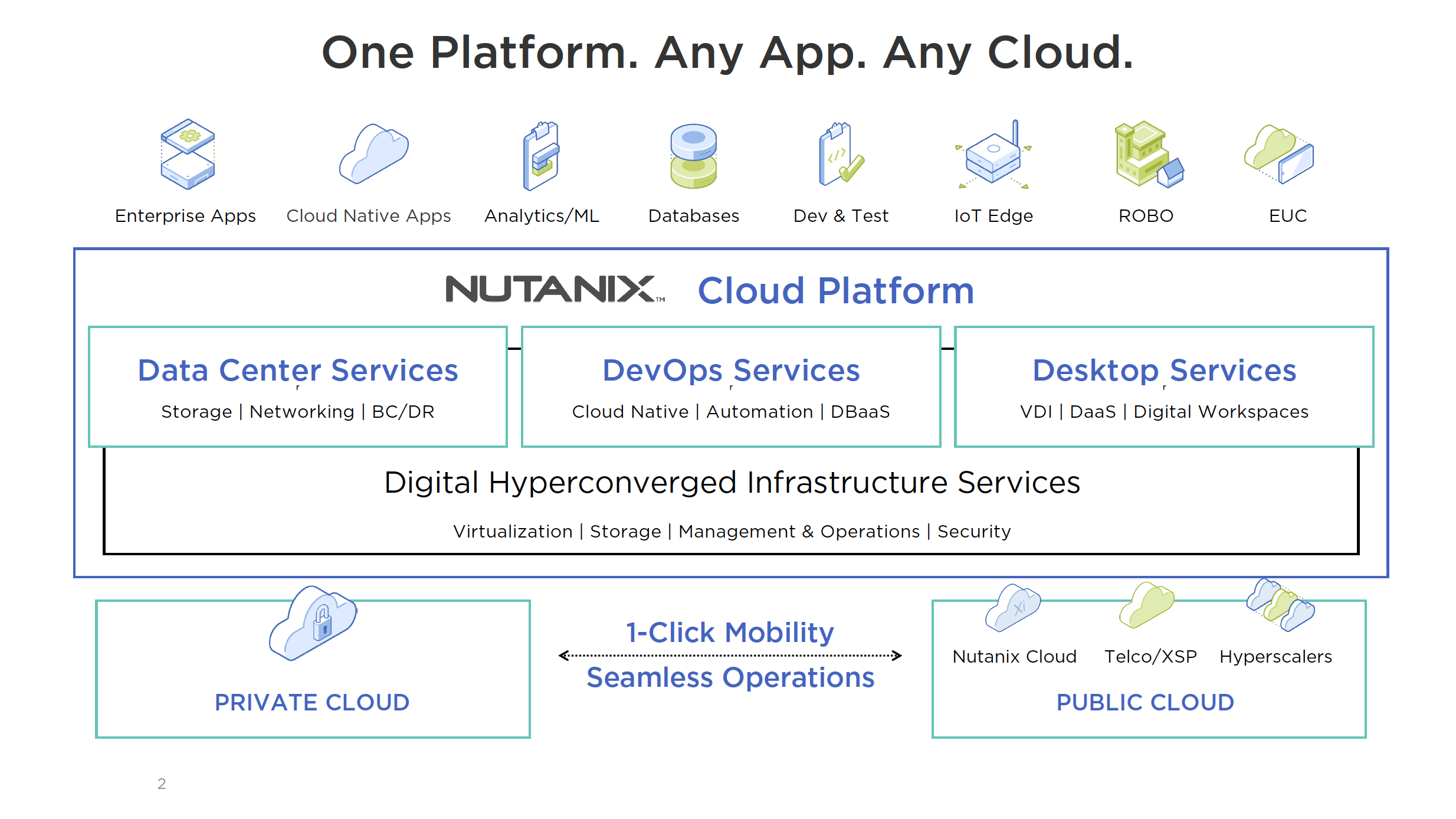
Nutanix .NEXT 2020 Announcements

This week, Nutanix .NEXT 2020 is being held as a digital event due to COVID-19. This combines the traditional US and EU .NEXT programs into one event.

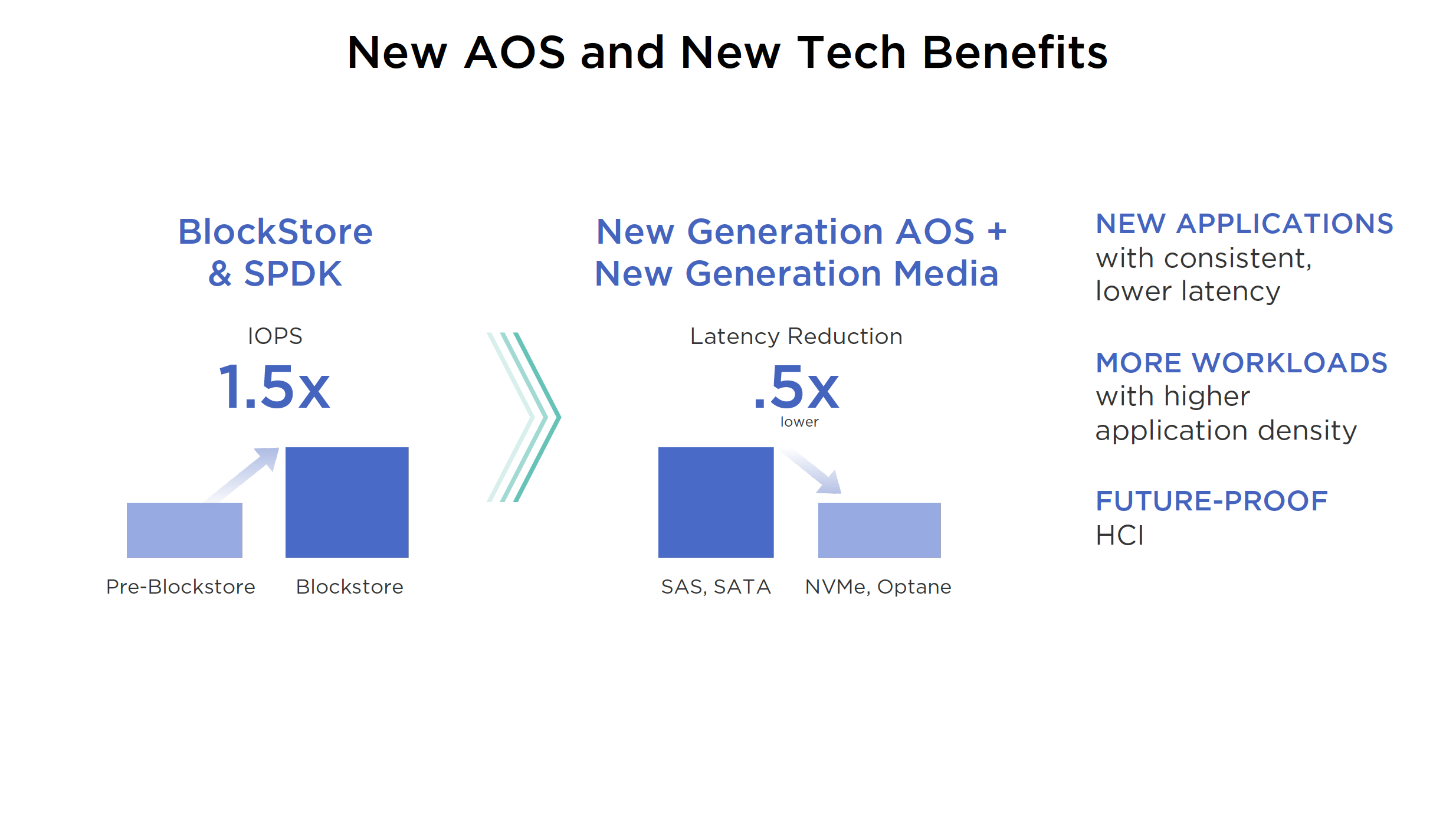
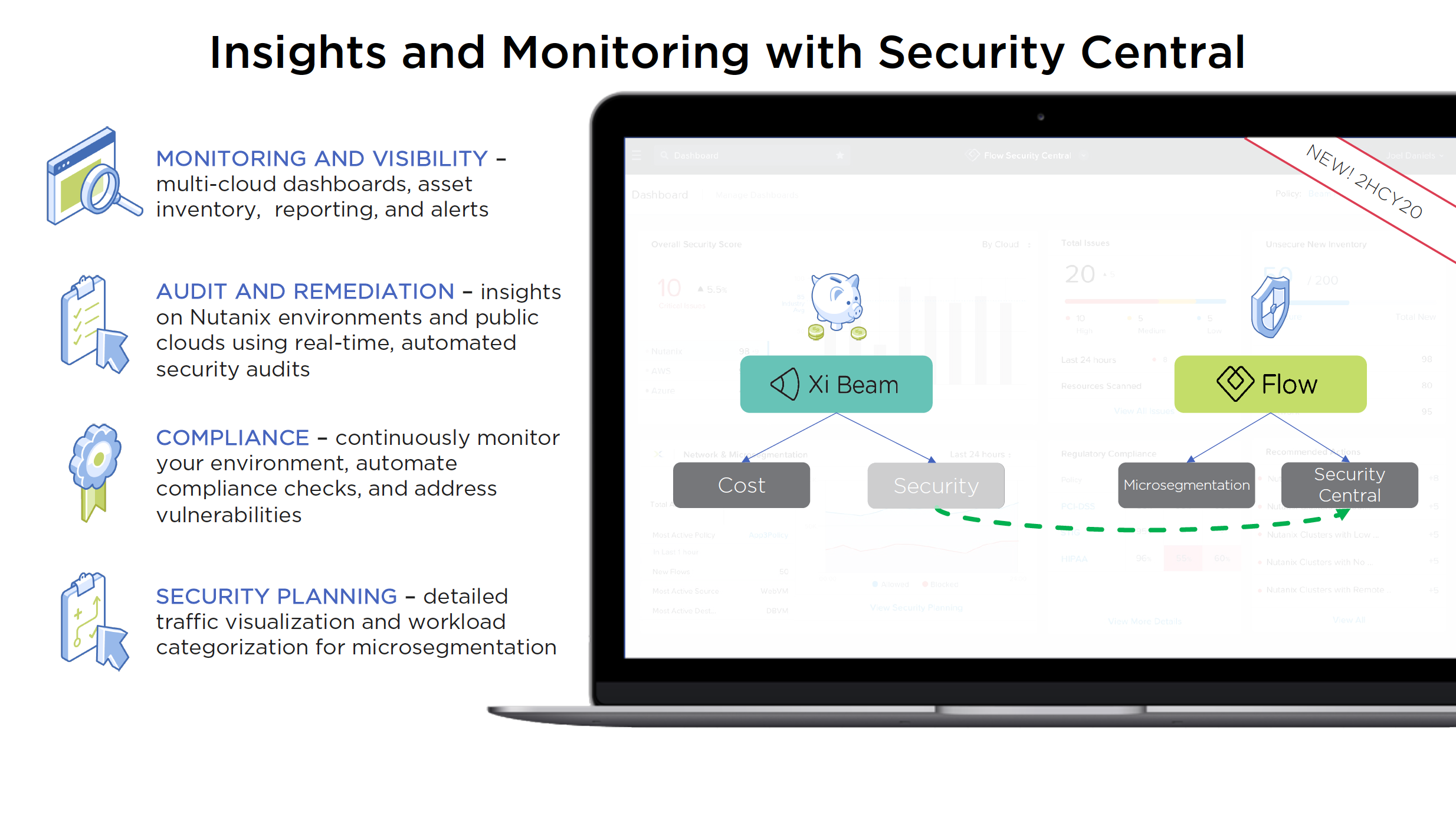
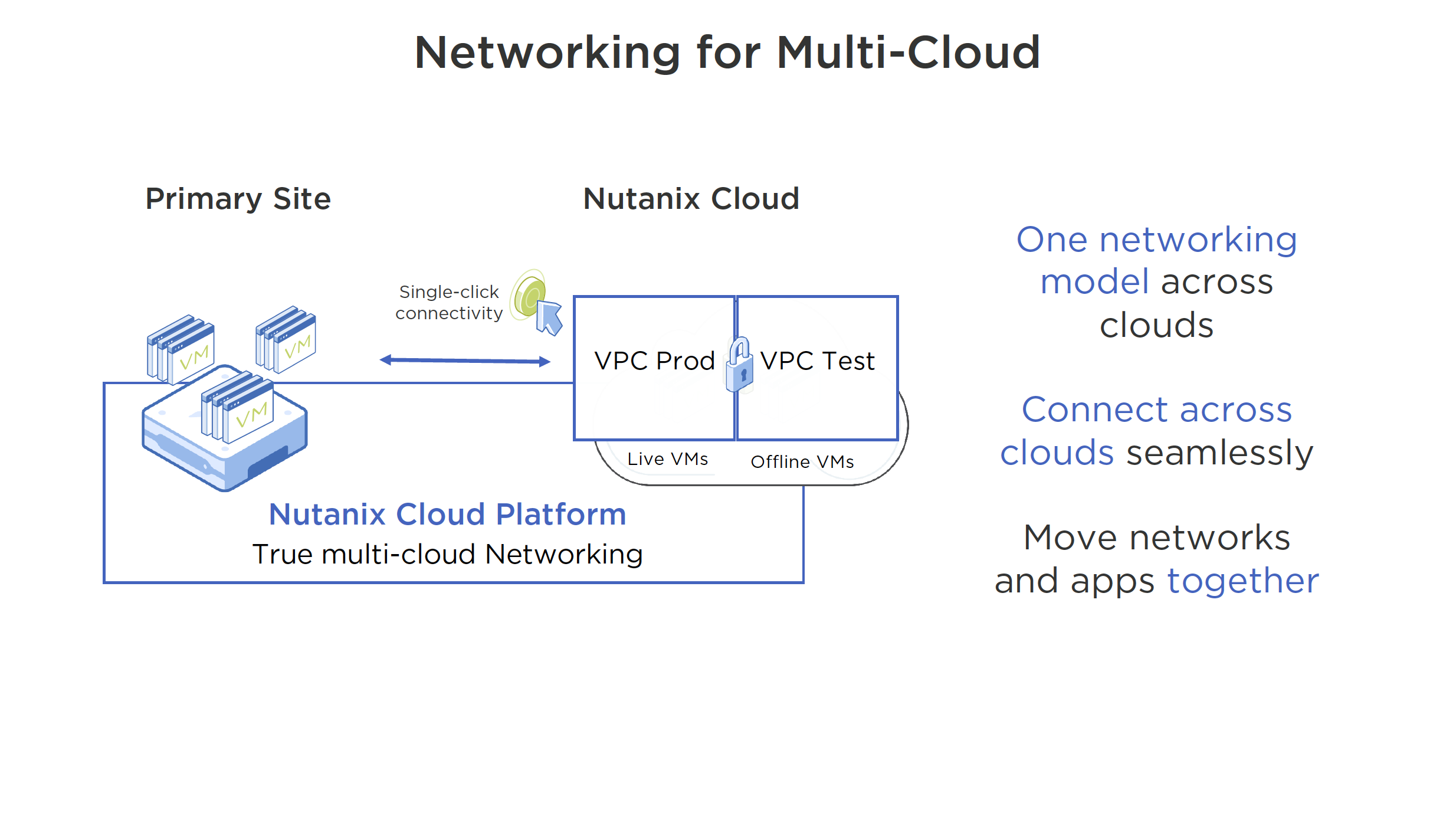
Nutanix Core is the leader in the HCI market. With that being said, Nutanix is certainly not resting on its laurels and continues to innovate in that space with the new BlockStore/SPDK and Optane announcements. They continue to innovate and blaze a trail for the competition to follow. Moving the governance/security module from Xi Beam to Flow in Prism Central is an interesting move. Consuming this service from Prism Central will increase adoption I think. VPCs on-prem (along with Flow) is beefing up the Nutanix offering to complete in the Network Virtualization market, which was always a hole in their game.

The announcements:

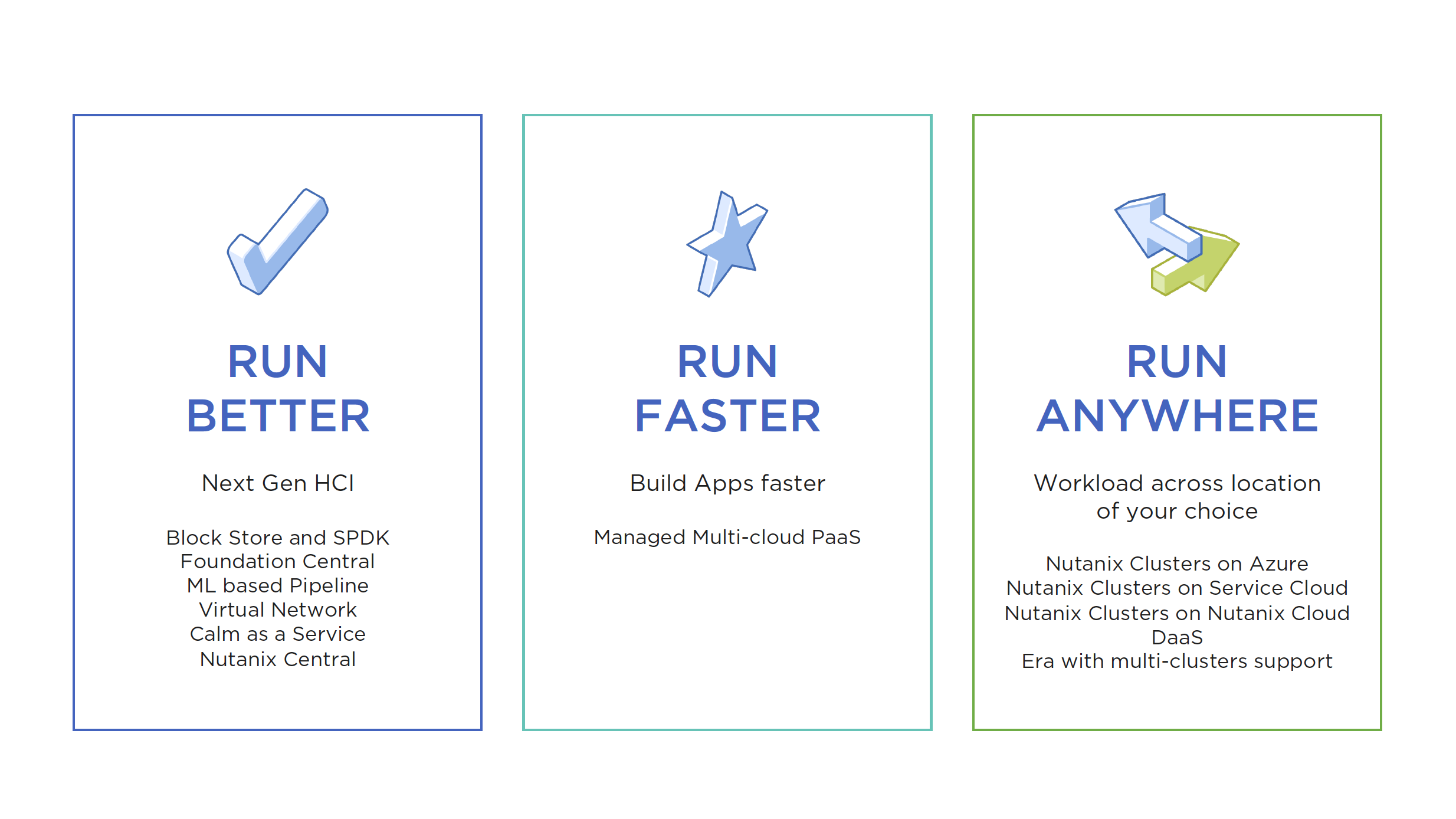
  • Foundation Central will support 50K VMs and 500 Clusters
  • Self Tuning feature to view and resolve application issues
  • New licensing tier: Prism Ultimate – App Insights and Cost Showback, Metrics to drive business efficiency and new tier to drive AI Ops
  • AOS performance improvements with Block Store, SPDK and Optane support
  • Deploy Files & Objects anywhere from Prism Central
  • 60 second RPO support for Files & Objects
  • Cold Data Tier support for Files & Objects
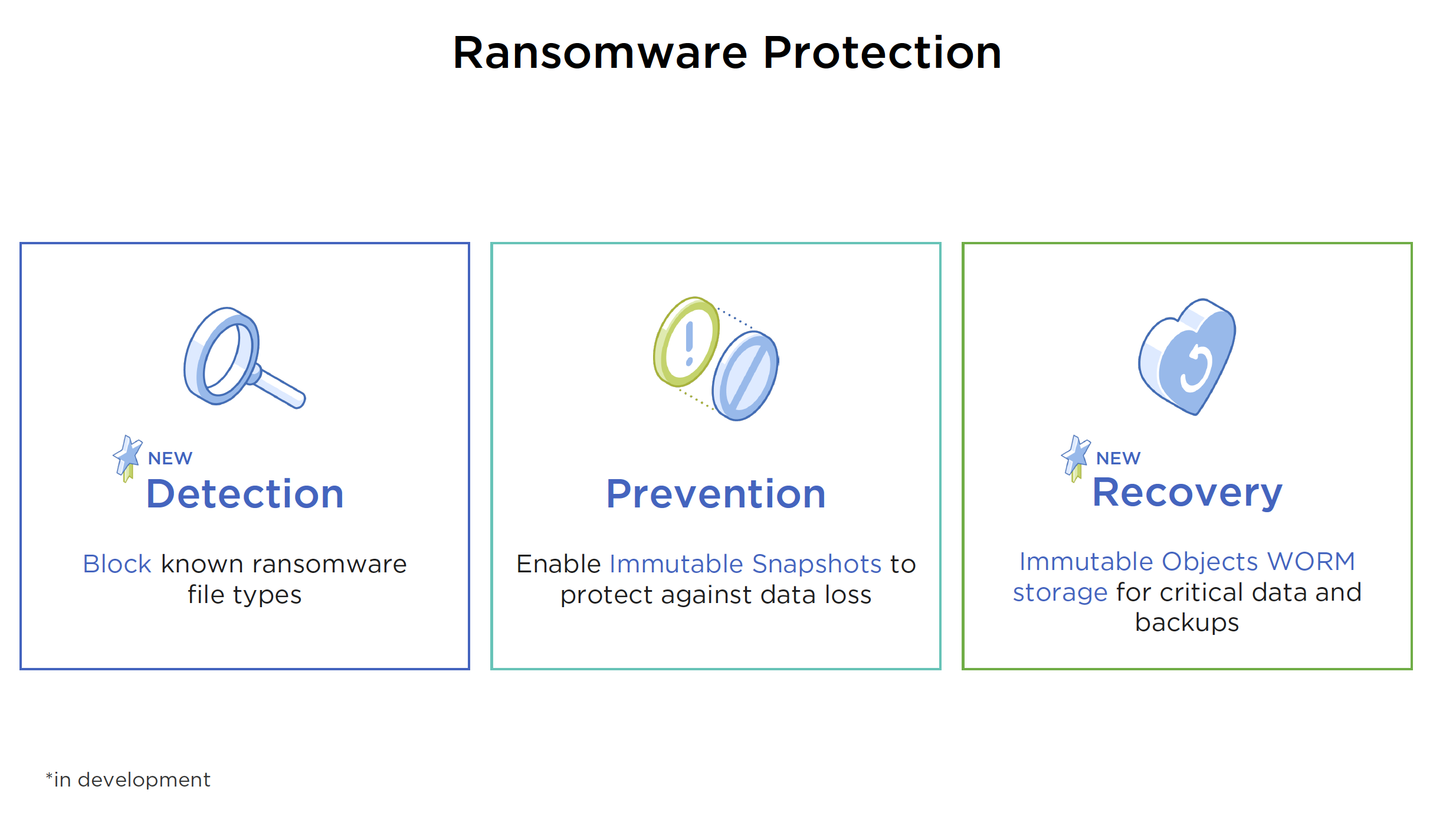
  • Ransomware Protection with Detection, Prevention (immutable snapshots) and Recovery (immutable objects WORM storage)
  • Security Central with security module from Beam moved to Flow (in Prism Central)
  • VPCs On-Prem with AHV (Layer 2 extension over Layer 3 networks)
  • Nutanix Central announced (Multi-Cloud DevOps SaaS)
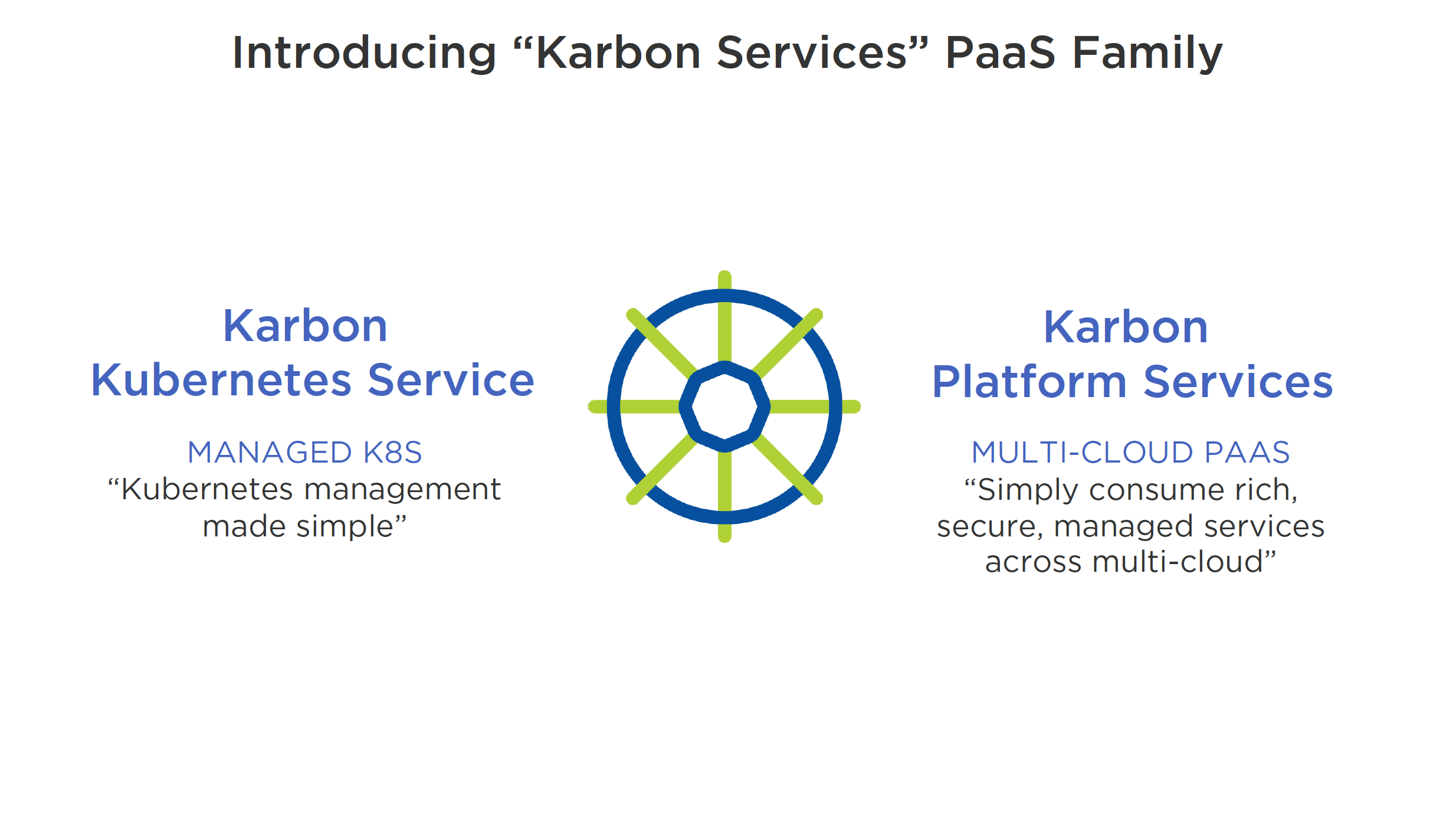
  • Karbon Services PaaS Family announced (Multi-Cloud PaaS)
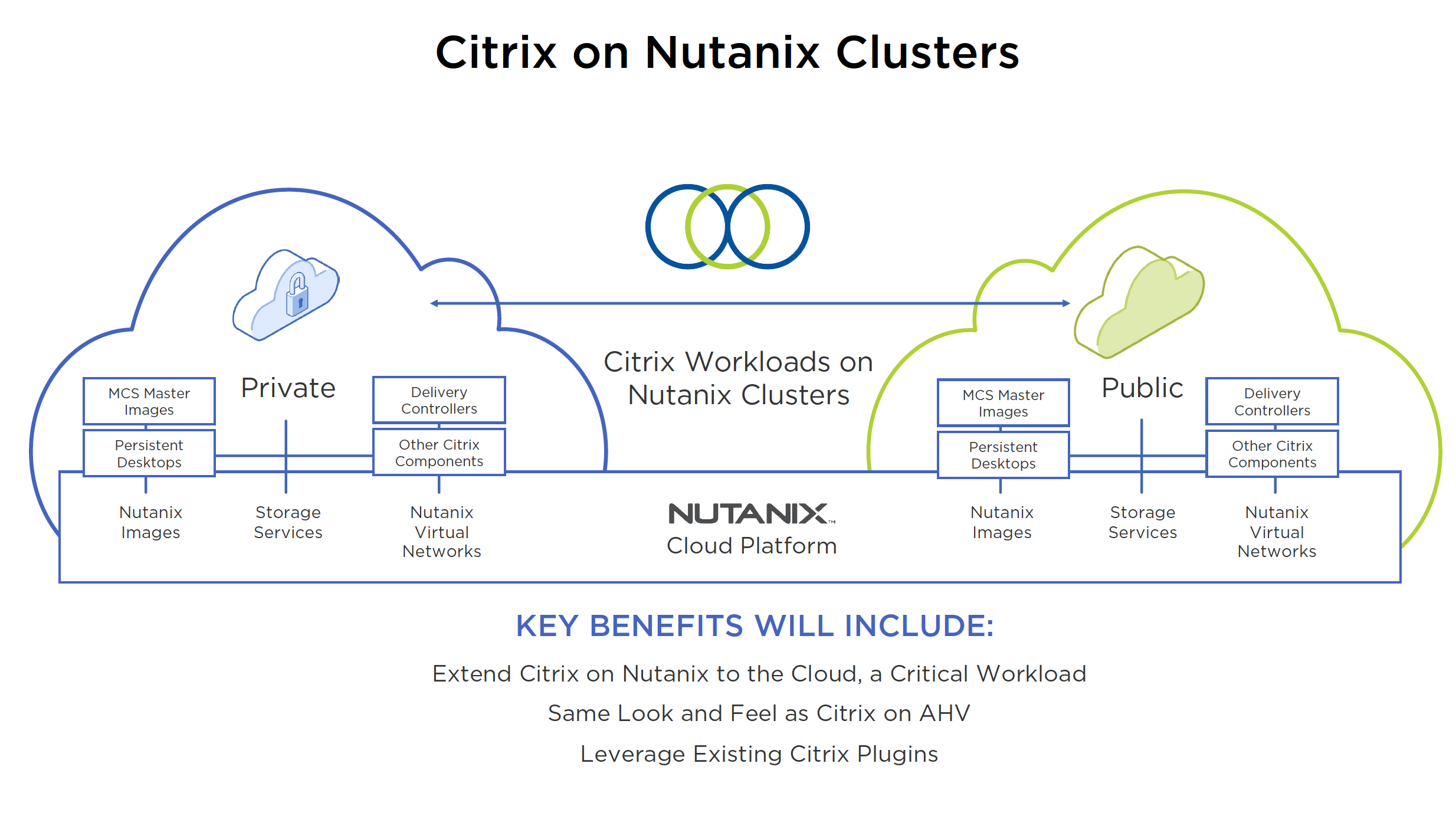
  • Citrix on Nutanix Clusters announced
  • Nutanix Era multi-cluster support announced
  • Nutanix Clusters on Azure announced
  • Calm-as-a-Service announced
  • Service Providers running Nutanix software

Screenshots:

Nutanix Clusters is Live

Nutanix Clusters on AWS is now live. Formerly known as Xi Clusters, this offering has been talked about for a few years; great to see it has finally arrived. I think the reason for the long incubation period is that Nutanix wanted to get it right. This is a great offering for those customers that want to continue their journey to hybrid cloud using Nutanix software.

Using it is quite simple, you subscribe to Nutanix Clusters, link to your AWS account and deploy. Then you can link your existing Prism Central instance to the AWS-based Nutanix Cluster to provide a single management plane. For the budget constrained, they also have a pause button to save the state of the cluster which avoids expensive AWS charges.

Additional Information:

Performance Considerations when running Nutanix on vSphere

Here are some performance considerations for running Nutanix AOS 5.10 or higher on vSphere 6.7 U3b.

In vSphere 6.7 you may have noticed the introduction of Skyline Health (vSphere Client, vCenter Server object, Monitor, Skyline Health) and the reporting of the Compute Health Checks. You may have also noticed the informational alert in the ESXi summary tab that L1TF is present (vSphere Client, ESXi object, Summary tab). This is the VMware alert to mitigate CVE-2018-3646, a vulnerability in Intel processors; VMware KB 55636 covers it in detail. All of the other Skyline Health Compute Health Check alerts can be mitigated by using vUM to apply the latest ESXi security patches/ESXi driver updates and using Nutanix LCM to apply the latest Firmware updates.

In the screenshots below (via Nutanix X-Ray), the Random Write IOPS values (this metric correlates to CPU performance) for a Nutanix on vSphere cluster with SCAv2 enabled and disabled; if you do that math it is a 10% performance drop as advertised in VMware KB 55806. SCAv1 is a 30% CPU performance impact. If your organization deems L1TF to be a vulnerability that must be mitigated, build it into your cluster sizing calculations. Also consult with Nutanix Support on the correct CVM vCPU sizing, since Nutanix Sizer and Nutanix Foundation do not account for it.

If you decide to leave CVE-2018-3646 unresolved, you will have to delete the “Warning” Rule from the vSphere Health Alarm Definition (vSphere Client, vCenter Server object, Configure, Alarm Definitions, Filter “vSphere Health”, Edit), this removes the continuous “vSphere Health detected new issues in your environment” warning from vCenter Server (but leaves the “Critical” Rule in play). It is not possible to disable specific items from Skyline Health in vSphere 6.7, although you can disable Skyline Health entirely by leaving the CEIP.

If you have a node with 6-cores per socket (possibly to mitigate application licensing costs), be aware that Nutanix Foundation will deploy an 8 vCPU CVM that exceeds the NUMA boundaries of the 6-core Intel socket. Work with Nutanix Support to configure the “numa.nodeAffinity” setting for each Nutanix CVM.

Nutanix on vSphere must use NFSv3 Datastores. Make sure you account for the fact that the NFSv3 software in VMware vSphere 6.7 has a read performance limitation per host (approx. 130K Random Read IOPS @ 8K and approx. 2.12 GB/s Sequential Read @ 1M.). This can be mitigated by adding a second Datastore and spreading the vDisks of a Monster VM across two Datastores. You can also choose to use Nutanix Volume Groups instead of VMDKs (Guest OS iSCSI Initiator required with a Data Services IP on the Nutanix AOS cluster).

Not Quite Right Infrastructure Platforms

Have you worked with infrastructure platforms that were not quite right? Niggling little annoyances that do not impact delivering services but add that extra effort to get your job done? Things like self-signed SSL certificates, local user accounts and naming standards that make no sense.

These things translate into technical debt, that additional friction that makes it harder for an operations team to do their jobs effectively. When we add the time lost over the years the solution runs for, this amounts to hundreds of man-hours. The amount of effort to fix these things after an infrastructure platform is in production is so much harder than taking care of it when the platform was being built.

My message to the delivery architects and delivery engineers out there, as you are deploying your solutions, ensure you are making your infrastructure platforms as easy to own and operate as possible. Considerations such as:

  • SSL certificates from the company Certificate Authority: nothing screams “amateur” more than having to accept self-signed certificates in a Web browser. It only takes a little more effort to complete the CSR request and CER import process and this will save future operators years of mouse clicks to “Add Exception” for “Invalid Security Certificate” messages.
  • All infrastructure Syslog endpoints should point to a central Syslog server: Syslogs that are cached locally are of no use to you when that device is down for the count. A centralized syslog server gives you a time machine into holistically working out what happened with your entire infrastructure for a past event. Open Source Syslog servers like syslog-ng are free. If you are running vSphere, get licensed for vRealize Log Insight, the plug-ins for vSphere are built into the product.
  • All infrastructure management interfaces are integrated with AD and use RBAC via AD groups: Maintaining a bunch of local accounts with separate passwords for the different components of an infrastructure solution make no sense. Configure SSO for the entire solution, so that the operators can login using their domain credentials. Use AD groups for role-based access control, that way when a new employee joins the team, they are placed into the same AD group as their colleagues and they immediately have the access they need.
  • Common naming standard that is human readable: another pet peeve of mine, use a naming standard that applies to every facet of the infrastructure solution (App, Compute, Network, Storage, DR, Data Protection, Cloud, etc.). One that someone can read and instantly understand what they are looking at and does not require them to open a spreadsheet to decode an obscure alpha-numeric string.
  • Day-2 Lifecycle Management: most platforms now have some type of lifecycle management that allows the automated deployment of patches and updates. Design, build and test them as part of the solution. Do not leave this for the operations team to take care of after the fact. Things such as vRealize Suite Lifecycle Manager, vSphere Update Manager, Nutanix Lifecycle Manager. If you are designing a VMware SDDC, look at VCF with vSAN-Ready Nodes and VCF on VxRail or better yet, consider VMC on AWS. If you are going down the Nutanix route, take a look at Nutanix with AHV.

If you have other “Not Quite Right” examples, feel free to add a comment. Thanks for reading this far!

US Green Card process for VCDX, NPX or DECM-EA

I moved to the US in 2016 on an E3 work visa (similar to a H1B visa but linked to an Australian/US trade agreement, renew every 2 years). In 2017, I started the Green Card process by submitting the I-140 to qualify and then the I-485 once it was approved. This post documents my experience and the steps I followed, which may be different for your situation and circumstances.

Green Card is slang for the card you get as a US Permanent Resident, also known as the I-551 form.

I did not use a company sponsor or lawyer or interpreter. For my family and I, it cost $4,370 and it took 2 years and 1 month from start to finish. In hindsight, I could have accelerated the process by submitting the I-140 & I-485 at the same time and paid the Premium processing fee of $1,410.

As a VMware Certified Design Expert (VCDX), Nutanix Platform Expert (NPX) or a Dell-EMC Certified Master Enterprise Architect (DECM-EA), you can follow the process yourself (corporate sponsor or immigration lawyer not required), but it makes sense to be a native or fluent English speaker and to be very detail oriented. You save yourself an estimated $10K to $20K in legal and interpreter fees, but you need to be patient and be prepared to wade through the instructions and caveats. Use these tips to prepare your paperwork.

Also, the USCIS publishes a monthly Visa bulletin that lists the number and backlogs for all US visa types.

Part 1 – The I-140

  • Cost: $700 for standard processing (took 14 months to complete)
  • Accelerated Processing: $700 (I-140) with $1,410 (Premium Processing fee) and $1,225 (I-485 for you) and $1,225 (I-485 for each dependent)
  • MyUSCIS portal: You can track the status of your application
  • USCIS: I-140 Form & Instructions

You submit this for yourself as the primary worker, you do not need to submit this for your family as dependents. This application is the most important because it qualifies you for the Green Card based upon your abilities.

As a VCDX, NPX or DECM-EA, you should be using the “Alien of Extraordinary Ability” category (I-140 Part 2 section), where you need to provide evidence for the following 10 categories. You need to meet at least 3 of these categories to qualify.

  • Evidence of receipt of lesser nationally or internationally recognized prizes or awards for excellence: VCDX, NPX, DECM-EA, Exam Development SME, any professional, advanced professional, master specialist and specialist certifications.
  • Evidence of your membership in associations in the field which demand outstanding achievement of their members: Community programs such as vExpert, vExpert sub-programs, NTC, Cisco Champion, etc.
  • Evidence of published material about you in professional or major trade publications or other major media: Any technology articles where you are mentioned by name.
  • Evidence that you have been asked to judge the work of others, either individually or on a panel: VCDX/NPX/DECM-EA Panelist, Any certifications where you were part of the exam development, any community judging.
  • Evidence of your original scientific, scholarly, artistic, athletic, or business-related contributions of major significance to the field: Any blogs you have authored, books you have authored or reviewed, events you have attended as an official blogger. Any technology patents you have.
  • Evidence of your authorship of scholarly articles in professional or major trade publications or other major media: Magazines, Books, Chapters of books or posters you have authored or contributed to.
  • Evidence that your work has been displayed at artistic exhibitions or showcases: User groups, Conferences you have presented at, Podcasts you have been interviewed on.
  • Evidence of your performance of a leading or critical role in distinguished organizations: Any customer reference videos you have featured in, any industry awards your company has won due to your efforts.
  • Evidence that you command a high salary or other significantly high remuneration in relation to others in the field: If you are paid above average for your skill-set in the market place.
  • Evidence of your commercial successes in the performing arts: If you own and operate your own technology company.

Part 2 – The I-485

  • Cost: $1,225 for standard processing per person (took 11 months to complete)
  • Accelerated Processing: Not an option, need to do this at the I-140 stage.
  • MyUSCIS portal: You can partially track your I-485 progress.
  • USCIS: I-485 Form & Instructions

You are now entitled to Permanent Residency, but now a visa needs to become available in your category. The I-485 is the process to get you and your family the Green Card.

You submit as the primary applicant and then link the application of each dependent to your application.

Once you submit, you cannot leave the US for the first 6 months. After 6 months you can travel for an emergency by submitting the I-131 request with the appropriate paperwork. If you do not want to leave the US while this process completes, you can apply to extend your I-94 if your work visa is going to expire using the I-129 form (your employer needs to do this for you).

Within 1 month of submitting, you will receive an appointment form by post to attend the Bio-Metrics data collection for you and your family.

Part 3 – The I-485 Interview with I-693 Form (Medical Report)

  • Cost: $610 for the medical (per person, varies per medical facility)
  • Accelerated Processing: N/A
  • My USCIS portal: Will show the Bio-Metrics collection phase as completed. The interview will not be displayed.
  • USCIS: I-693 Form & Instructions

When you receive your I-485 interview appointment by post (took 8 months from I-485 submission, 1 month before the interview date), you immediately book an appointment with an approved doctor. This is because your medical report (I-693) is only valid for 60 days.

Every applicant needs to attend the interview with a valid and current medical report (I-693).

When you attend your I-485 interview, a government officer takes you through your application and verifies the original copies of your submitted paperwork. You do not get told the result of your interview, you have to wait.

You should also bring an updated list of the 10 qualification categories (from the I-140) with evidence to cover the time between when you submitted the I-140 and the interview.

Part 4 – Delivery of the Green Card

  • Cost: N/A
  • Accelerated Processing: N/A
  • MyUSCIS portal: Will show the Biometrics collection phase as completed. Completion of interview or issuance of Green Card will not be displayed.

They do not tell you it is coming, they do not tell you it is approved, it just turns up one day in your letter box as USPS Priority Mail (took 2 months from I-485 interview). You will receive all Green Cards for you and your family at the same time. A few days after the Green Cards arrive, you will receive an approval letter from USCIS. I suspect this is because USPS Priority mail moves faster than First Class mail.

Once you receive your Green Card, you can now apply for TSA Pre-Check and Global Entry. This also means you can get your driving license issued for 4 years instead of your I-94 expiry date. After five years you can apply for US Citizenship.