Advanced Design VMware NSX-T 3.0 Exam (3V0-42.20) Study Links

I took the Advanced Design VMware NSX-T 3.0 Exam recently and these are the study links I used:

Advanced Design VMware vSphere 7.0 Exam (3V0-21.21) Study Links

I took the Advanced Design VMware vSphere 7.0 Exam recently and the VMware Exam Guide did not have active resource hyperlinks in the PDF. Here they are, plus some additional ones I used:

Intel NUC 9 Extreme for VMware ESXi

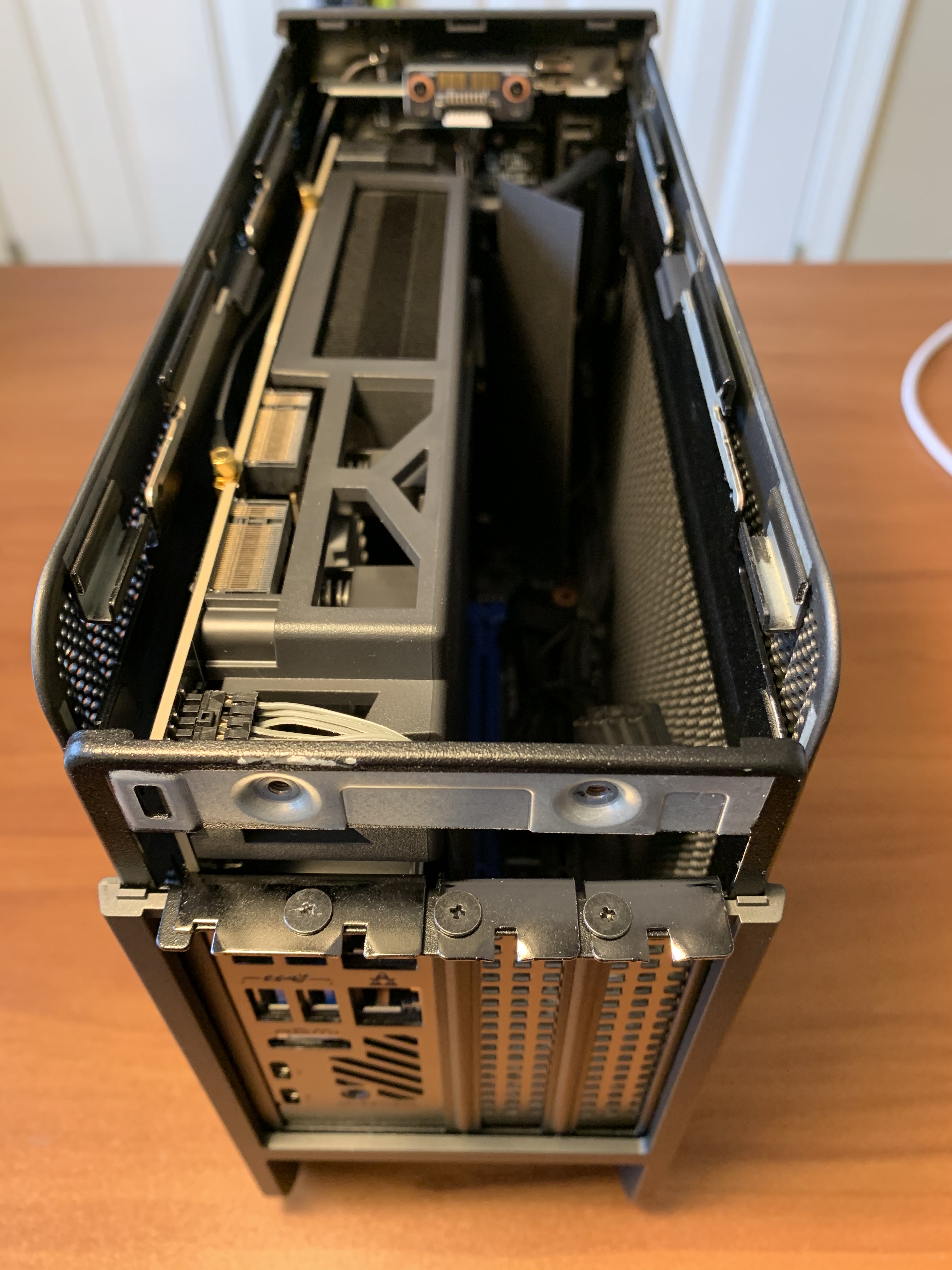
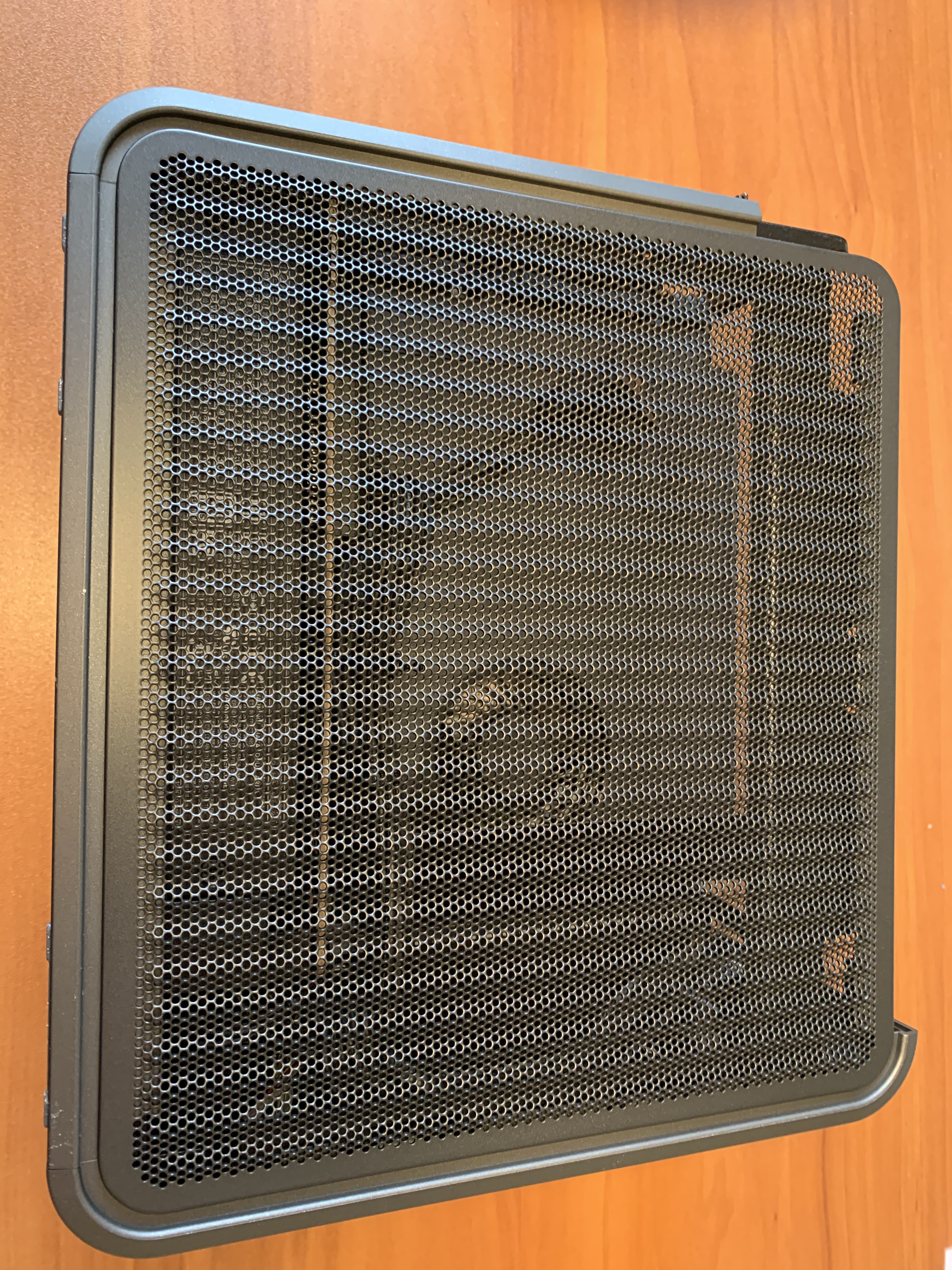
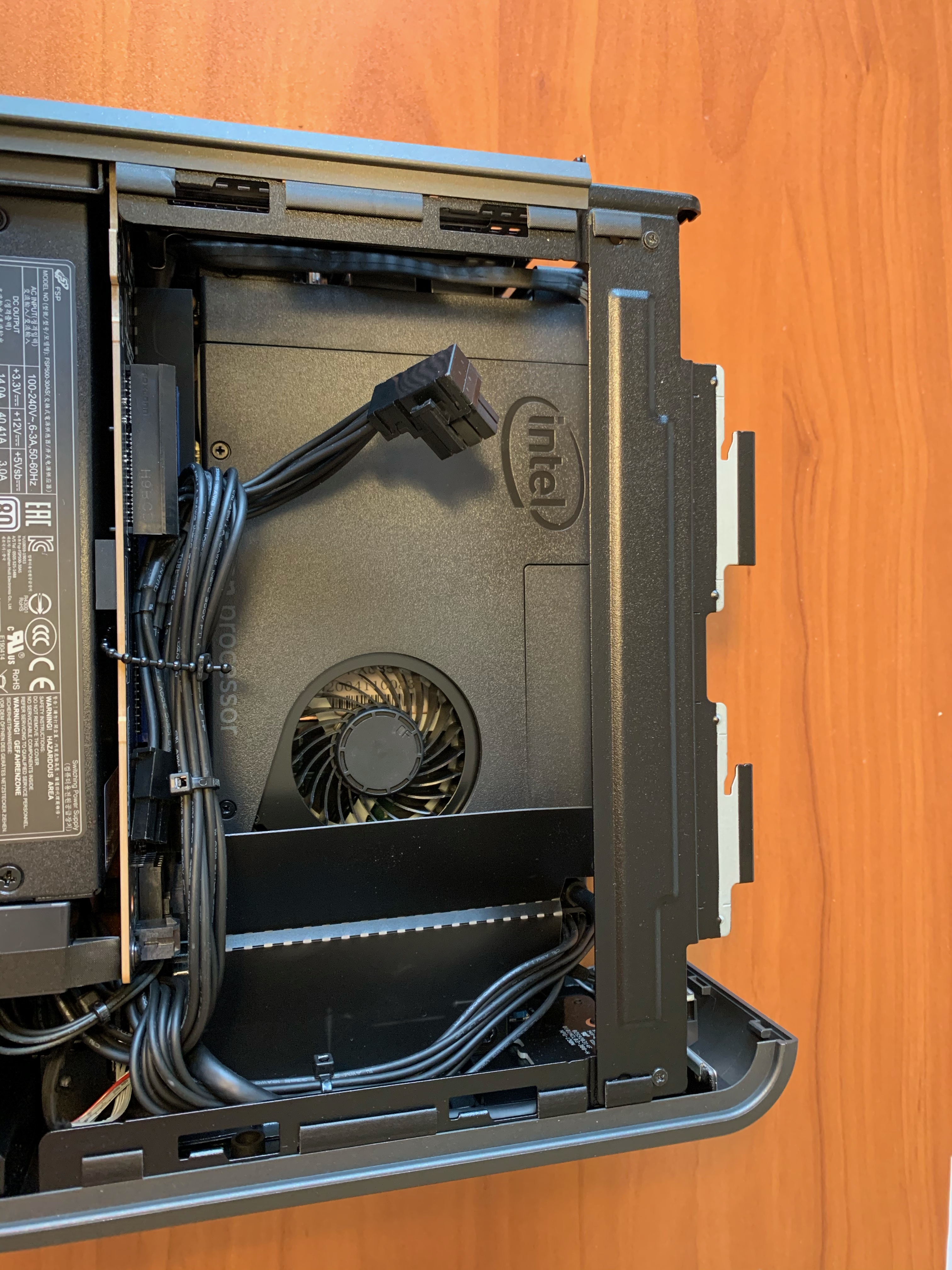
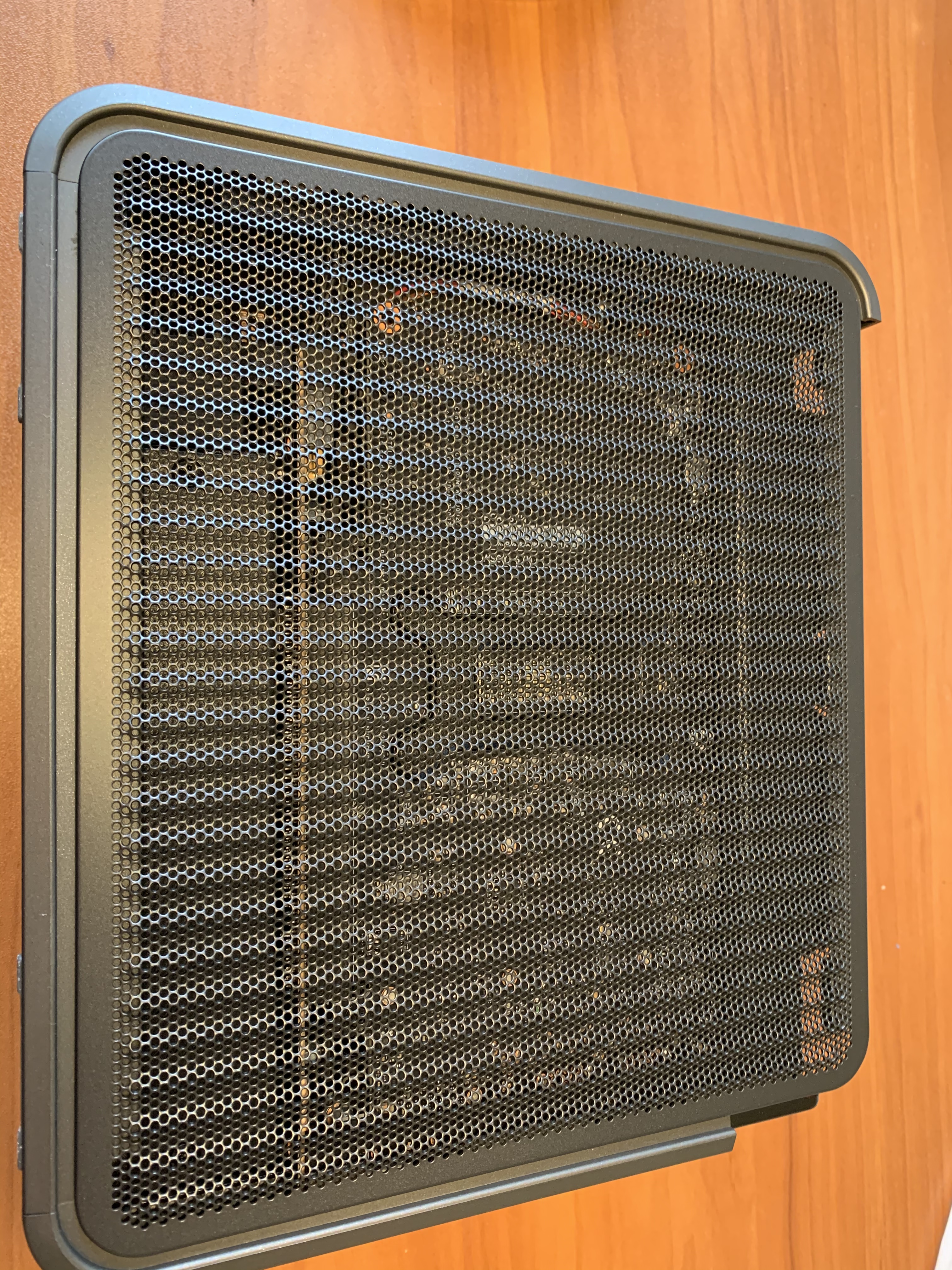
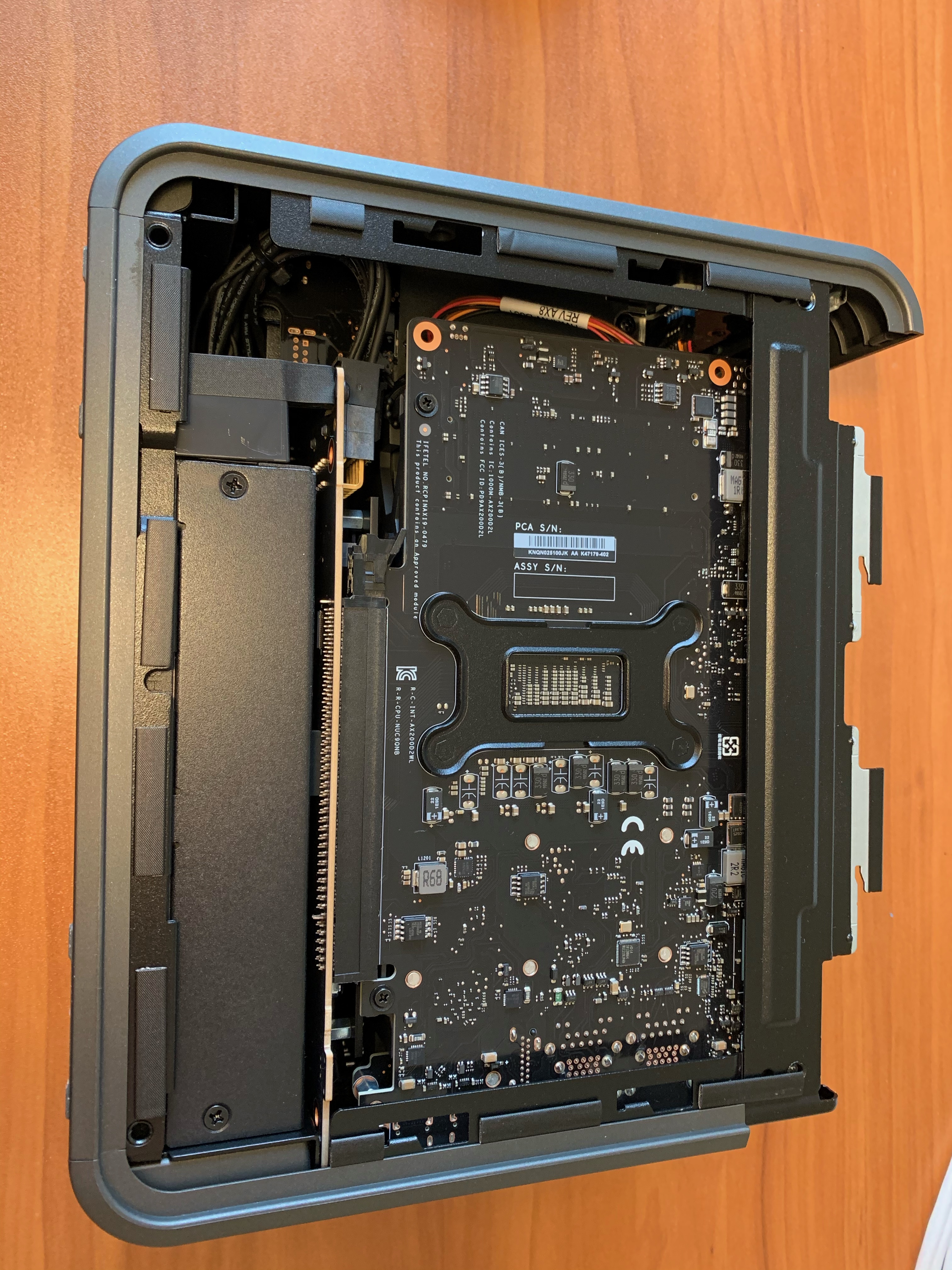
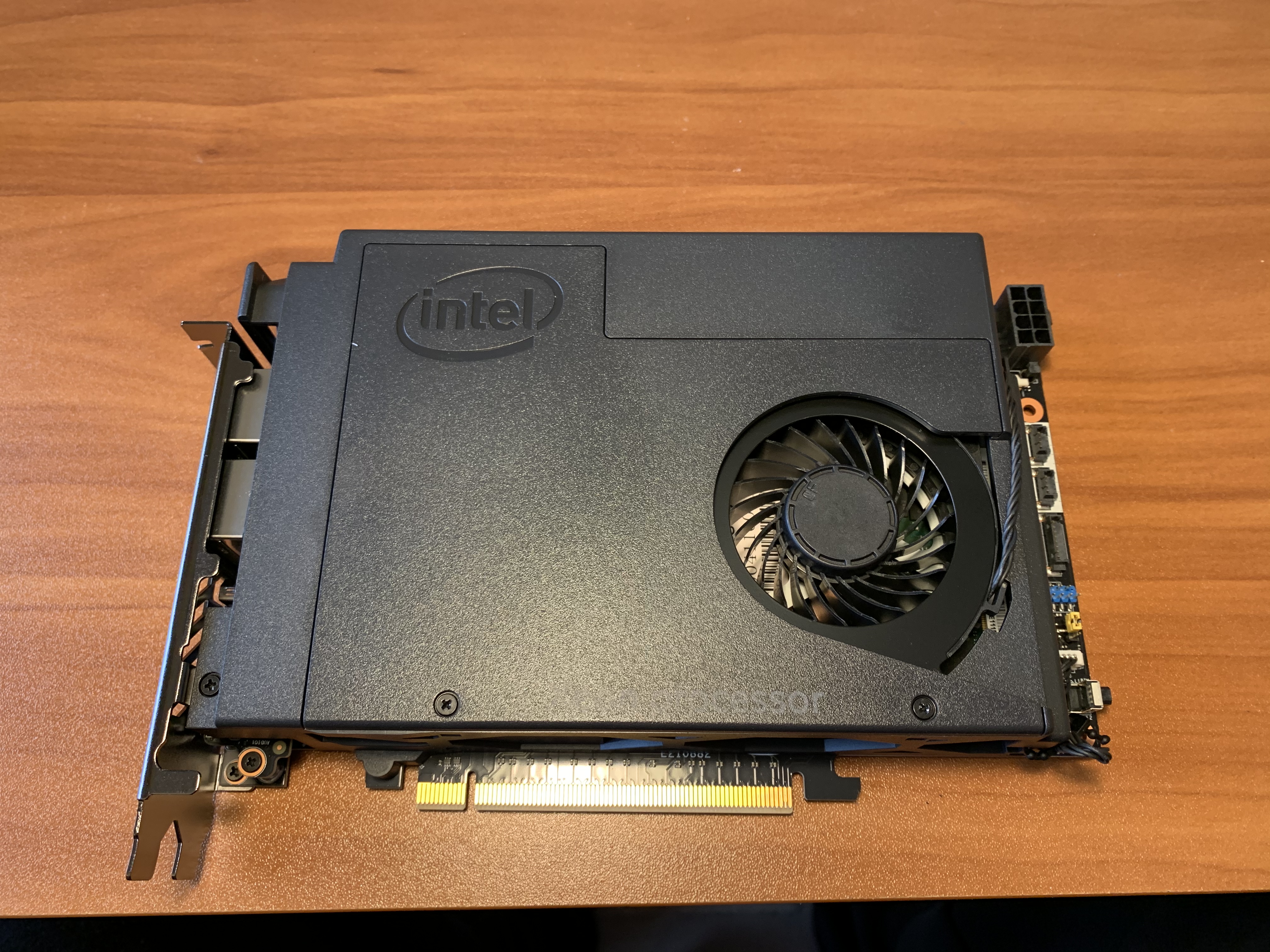
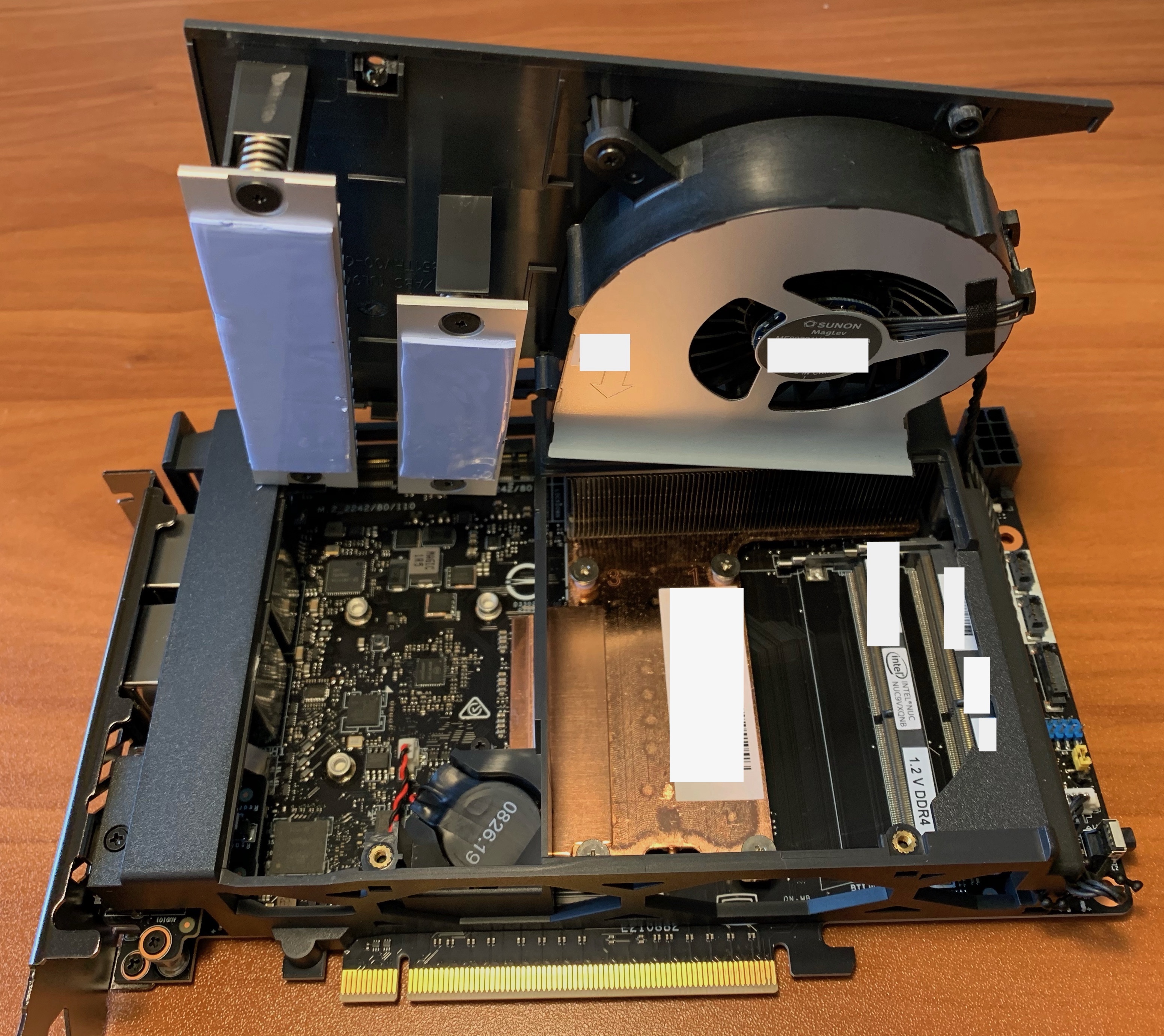
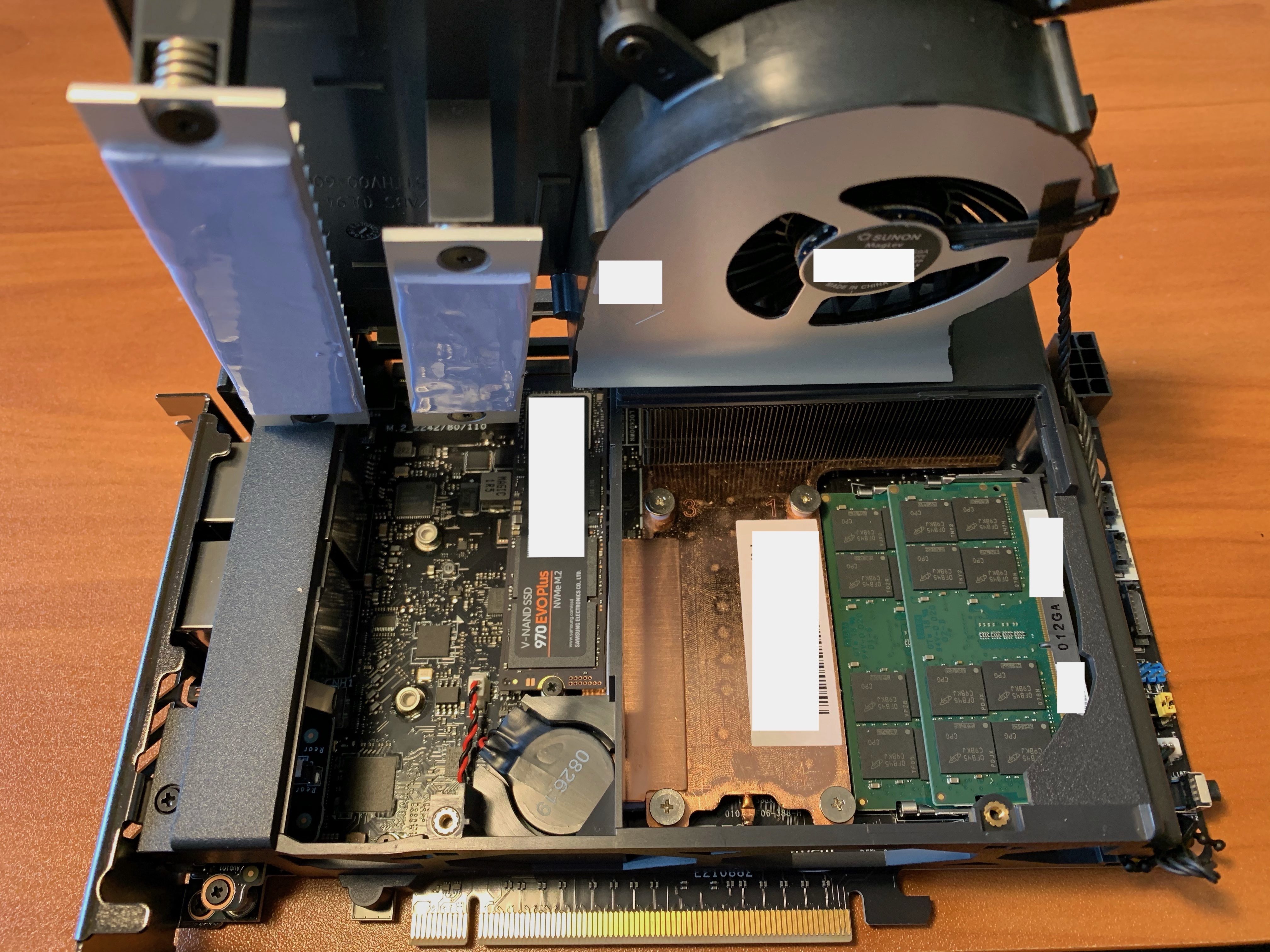
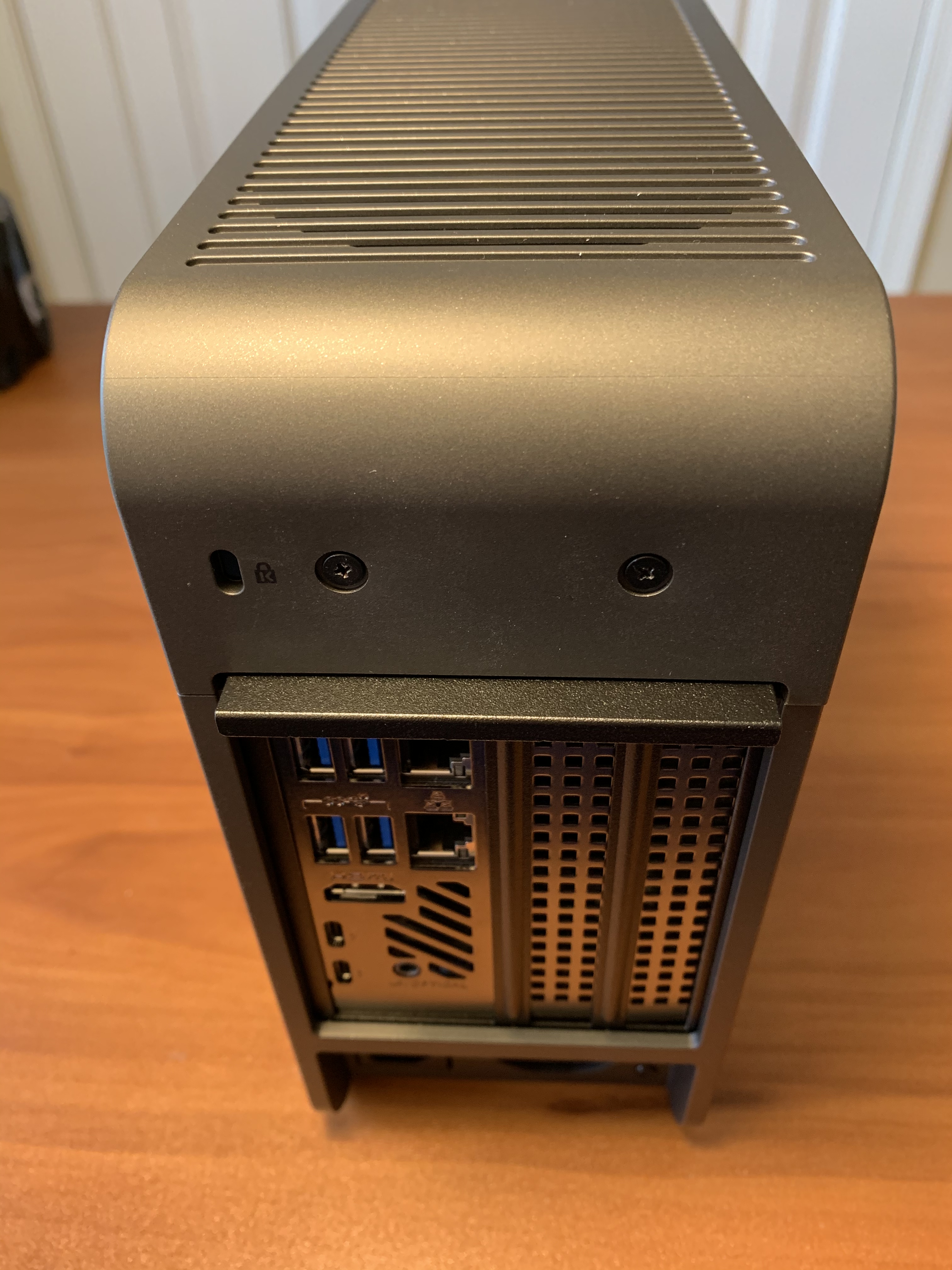
I recently setup an Intel NUC 9 Extreme with ESXi and found the included printed instructions a little vague. Here are some photos to show what the internals look like and where to install the RAM and NVMe M.2 devices.

What I like about the Intel NUC 9 Extreme:

  • Very compact form factor with loads of options
  • Has the NUC9VXQNX option for Intel Xeon E-2286M CPU 8 core (16 H/T) @ 2.4GHz Processor
  • Has Slots for 3 NVMe M.2 Devices (needed for vSAN config)
    • 1 Baseboard slot for ESXi Boot (42/80/110mm slot)
    • 2 Intel CPU Module Slots for vSAN Cache and Capacity drives (42/80/110mm slot & 42/80mm slot)
  • Supports up to 64GB SODIMM RAM
  • Two additional PCIe Slots for GPU & more NICs, if required
  • Has two USB-C ports for 10GbE adapters, if required
  • Two onboard 1GbE ports for management vmnics
  • ESXi 7.0.1 installs cleanly and runs without extra customization
  • Only need a small Phillips head screw driver to disassemble the NUC and install the RAM and NVMe M.2 devices

Intel NUC 9 Front, Rear and with top cover off

Intel NUC 9 sides with covers on and off

Intel NUC 9 Baseboard (with NVMe M.2 device heat-sink removed) and Intel CPU Module with SODIMM RAM modules and NVMe M.2 devices installed


VCDX – Modern Solutions

In the last month I have been involved in a few VCDX mocks. One of the things I have been explaining to VCDX candidates is the importance of being knowledgeable about modern infrastructure design and being able to articulate the business value.

List of articles in my VCDX Deep-Dive series (more than 90 posts)

The way the VCDX blueprints are written, you are encouraged to design a “Build Your Own” solution, which is the antithesis of cloud and the SDDC. Which leads to VCDX candidates following the “BYO” route without considering and understanding how automation, cloud and the self-driving SDDC functions and adds value to a customer.

Am I saying you need to be an expert in VMware Cloud Foundation and VMware Cloud? No, but I am suggesting that you need to be aware of it and be able to describe how it works and articulate the business value realized.

What “modern” VMware solutions am I referring to? Solutions such as the entire suite in VMware Cloud (vRA Cloud, Log Insight Cloud, Cloud Health, Tanzu, etc.), VMware Cloud Foundation (including VCF on VxRail), VMware Cloud on AWS (and all other hyperscaler VMware variants: Oracle, Microsoft, IBM, GCP, etc.), VMware vRealize Suite Lifecycle Manager, Horizon 7 on VMC on AWS/Azure, etc. And understand how the VMware Validated Design (VVD) framework relates to these solutions.

In my opinion, here are some suggestions on how you can weave this into your VCDX submission and the panel defense:

VCDX – Your Voice

As you go through the VCDX process, you will get a lot of feedback from your study group and the VCDX mentors you have mock sessions with. That feedback is a gift, you need it to evolve and grow the skills to be successful as a VCDX and an Architect. The trick is to take that feedback and incorporate it into your style of talking and presenting and make it yours. This includes filtering that advice and discovering what is best for you and what is not. I think of it as finding your “Voice”, the thing that makes you unique and is at the core of your identity as a person. And we are all different, what works for me, may not work for you.

List of articles in my VCDX Deep-Dive series (more than 90 posts)

Finding your voice takes time and effort. And making major changes to how you do things at one time should be avoided. You want to improve your game one step at a time. If a minor change works, keep it, if not, discard it and then move onto the next improvement.

During the mocks I was involved with in the past month, one of the candidates was asking me about how much information to share during the defense to reduce the “attack surface”. On this subject I have changed my mind over the years. My current thinking: if you know a particular subject or technology in-depth, you should talk about it and showcase your knowledge to the VCDX panel. Let them ask all the questions they want and if you do not know, then say so; you are there to demonstrate your skills and knowledge. For me personally, I have always found the process of “stepping around” certain subjects interrupts and impedes my flow, so it is better to just go for it and let the chips fall where they may.

Performance Considerations when running Nutanix on vSphere

Here are some performance considerations for running Nutanix AOS 5.10 or higher on vSphere 6.7 U3b.

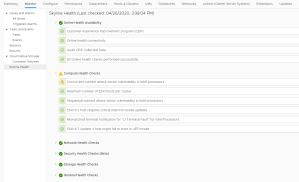
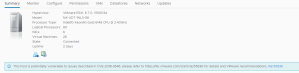
In vSphere 6.7 you may have noticed the introduction of Skyline Health (vSphere Client, vCenter Server object, Monitor, Skyline Health) and the reporting of the Compute Health Checks. You may have also noticed the informational alert in the ESXi summary tab that L1TF is present (vSphere Client, ESXi object, Summary tab). This is the VMware alert to mitigate CVE-2018-3646, a vulnerability in Intel processors; VMware KB 55636 covers it in detail. All of the other Skyline Health Compute Health Check alerts can be mitigated by using vUM to apply the latest ESXi security patches/ESXi driver updates and using Nutanix LCM to apply the latest Firmware updates.
In the screenshots below (via Nutanix X-Ray), the Random Write IOPS values (this metric correlates to CPU performance) for a Nutanix on vSphere cluster with SCAv2 enabled and disabled; if you do that math it is a 10% performance drop as advertised in VMware KB 55806. SCAv1 is a 30% CPU performance impact. If your organization deems L1TF to be a vulnerability that must be mitigated, build it into your cluster sizing calculations. Also consult with Nutanix Support on the correct CVM vCPU sizing, since Nutanix Sizer and Nutanix Foundation do not account for it.
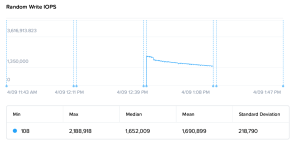
If you decide to leave CVE-2018-3646 unresolved, you will have to delete the “Warning” Rule from the vSphere Health Alarm Definition (vSphere Client, vCenter Server object, Configure, Alarm Definitions, Filter “vSphere Health”, Edit), this removes the continuous “vSphere Health detected new issues in your environment” warning from vCenter Server (but leaves the “Critical” Rule in play). It is not possible to disable specific items from Skyline Health in vSphere 6.7, although you can disable Skyline Health entirely by leaving the CEIP.

If you have a node with 6-cores per socket (possibly to mitigate application licensing costs), be aware that Nutanix Foundation will deploy an 8 vCPU CVM that exceeds the NUMA boundaries of the 6-core Intel socket. Work with Nutanix Support to configure the “numa.nodeAffinity” setting for each Nutanix CVM.

Nutanix on vSphere must use NFSv3 Datastores. Make sure you account for the fact that the NFSv3 software in VMware vSphere 6.7 has a read performance limitation per host (approx. 130K Random Read IOPS @ 8K and approx. 2.12 GB/s Sequential Read @ 1M.). This can be mitigated by adding a second Datastore and spreading the vDisks of a Monster VM across two Datastores. You can also choose to use Nutanix Volume Groups instead of VMDKs (Guest OS iSCSI Initiator required with a Data Services IP on the Nutanix AOS cluster).

Not Quite Right Infrastructure Platforms

Have you worked with infrastructure platforms that were not quite right? Niggling little annoyances that do not impact delivering services but add that extra effort to get your job done? Things like self-signed SSL certificates, local user accounts and naming standards that make no sense.

These things translate into technical debt, that additional friction that makes it harder for an operations team to do their jobs effectively. When we add the time lost over the years the solution runs for, this amounts to hundreds of man-hours. The amount of effort to fix these things after an infrastructure platform is in production is so much harder than taking care of it when the platform was being built.

My message to the delivery architects and delivery engineers out there, as you are deploying your solutions, ensure you are making your infrastructure platforms as easy to own and operate as possible. Considerations such as:

  • SSL certificates from the company Certificate Authority: nothing screams “amateur” more than having to accept self-signed certificates in a Web browser. It only takes a little more effort to complete the CSR request and CER import process and this will save future operators years of mouse clicks to “Add Exception” for “Invalid Security Certificate” messages.
  • All infrastructure Syslog endpoints should point to a central Syslog server: Syslogs that are cached locally are of no use to you when that device is down for the count. A centralized syslog server gives you a time machine into holistically working out what happened with your entire infrastructure for a past event. Open Source Syslog servers like syslog-ng are free. If you are running vSphere, get licensed for vRealize Log Insight, the plug-ins for vSphere are built into the product.
  • All infrastructure management interfaces are integrated with AD and use RBAC via AD groups: Maintaining a bunch of local accounts with separate passwords for the different components of an infrastructure solution make no sense. Configure SSO for the entire solution, so that the operators can login using their domain credentials. Use AD groups for role-based access control, that way when a new employee joins the team, they are placed into the same AD group as their colleagues and they immediately have the access they need.
  • Common naming standard that is human readable: another pet peeve of mine, use a naming standard that applies to every facet of the infrastructure solution (App, Compute, Network, Storage, DR, Data Protection, Cloud, etc.). One that someone can read and instantly understand what they are looking at and does not require them to open a spreadsheet to decode an obscure alpha-numeric string.
  • Day-2 Lifecycle Management: most platforms now have some type of lifecycle management that allows the automated deployment of patches and updates. Design, build and test them as part of the solution. Do not leave this for the operations team to take care of after the fact. Things such as vRealize Suite Lifecycle Manager, vSphere Update Manager, Nutanix Lifecycle Manager. If you are designing a VMware SDDC, look at VCF with vSAN-Ready Nodes and VCF on VxRail or better yet, consider VMC on AWS. If you are going down the Nutanix route, take a look at Nutanix with AHV.

If you have other “Not Quite Right” examples, feel free to add a comment. Thanks for reading this far!