vSphere Feature Request – Skyline Health for 3rd Party Arrays

As an Enterprise Architect working for a VMware Partner, I am involved in many vSphere Health Checks. One of the most common problems we report are incorrectly configured ESXi Advanced settings. In particular, the optimized configuration for legacy 3-Tier All-Flash storage. And the customer wonders why there are performance issues on their brand new All-Flash hardware platform?

It would be great if vSphere would allow Operators and Administrators to get this data from Skyline Health. VMware has already provided this for vSAN (ESXi Cluster object, Monitor, vSAN, Skyline Health) and general vSphere settings (vCenter Server object, Monitor, Skyline Health). Obviously the storage vendor would be responsible for providing those optimized settings, but it could be a part of the VMware Compatibility Guide certification process and added to Skyline Health?

Settings such as:

  • Storage Multipathing Policy
  • Host HBA Queue Depths
  • LUN Queue Depths

If you want to know more, go to your favorite storage vendor website and download their best practices guide for VMware vSphere:

VCAP – Where is my 2019 Badge?

Are you VCAP certified and wondering where the 2019 badge for your VCAP track is and why your current VCAP version is listed as “Emeritus”? You have passed the latest VCAP exam (before 2019) and you verified there is no new VCAP exam in the exam catalog, surely they would grandfather you in? Unfortunately, no – the certification policy has changed.

NOTE: I am focusing on 2019 as the case in point since the 2020 badges are having issues at the moment and it is not clear if a new 2020 exam for every VCAP will be released during 2020 (image below). In the first week of January 2020, I had 21 certifications awarded to me with the “2020” designation. I was excited and thought that VMware had fixed the certification logic; unfortunately, they were all revoked the following day (image below).

NOTE: I have opened a number of tickets with VMware Certification on this subject and sent a multitude of emails and currently there has been no policy change.

First, let me explain how it used to be. VMware Certification would release a new VCDX version approximately every 2 years, which would coincide with new VCAP Design and Deploy exams (previously known as the Administration exam) for that track. Originally there was only the vSphere/DCV track and then Cloud/CMA (vCD and later vRA), Desktop/DTM/DW (Horizon and then Workspace ONE) and NSX/NV (NSX-MH, NSX-v and then NSX-T) were added over time. We all understood the link to product versions and it worked.

In 2019 (2018 for some DCV certifications), certification by product version changed to certification by year. Instead of VCAP6-DCV, we now have VCAP-DCV 2019 (and 2020). And this is being applied to every existing VMware certification (Associate, Specialist, Professional, Master Specialist, Advanced Professional and Expert).

If you look into the logic currently being applied:

  • You will not be grandfathered into the 2019 certification (even though you passed the latest exam in 2016, 2017 or 2018). “Grandfathering” logic has been used by VMware in the past, particularly with the NV track. In 2015, upon completing the VCIX-NV certification, you were automatically awarded VCP-NV in late 2015 and then upgraded to VCP6-NV and VCIX6-NV in 2016 without taking another exam.
  • You need to have passed the old exam after August 1, 2019 to be awarded the 2019 badge. Why was August 1, 2019 selected and not January 1, 2019 (as indicated in the blog I referenced above)? If I pass the pre-2019 exam in 2019 (older version of technology) how does awarding me a 2019 badge validate that I have been certified on the 2019 version of that technology?
  • You are not expected to retake the old exam you previously passed to achieve the 2019 badge. Which begs the question, how do I get my 2019 certifications if I have passed every exam that is available before 2019?
  • All certifications that are older than 2019 have been moved to “Emeritus” status.
  • This new policy does not align with the VMware Partner Central policy of recognizing many “Emeritus” certifications as being current (for Solution Competencies and Master Service Competencies). In fact, my VCDX and VCAP 2019/2020 certifications do not appear in Partner Central.
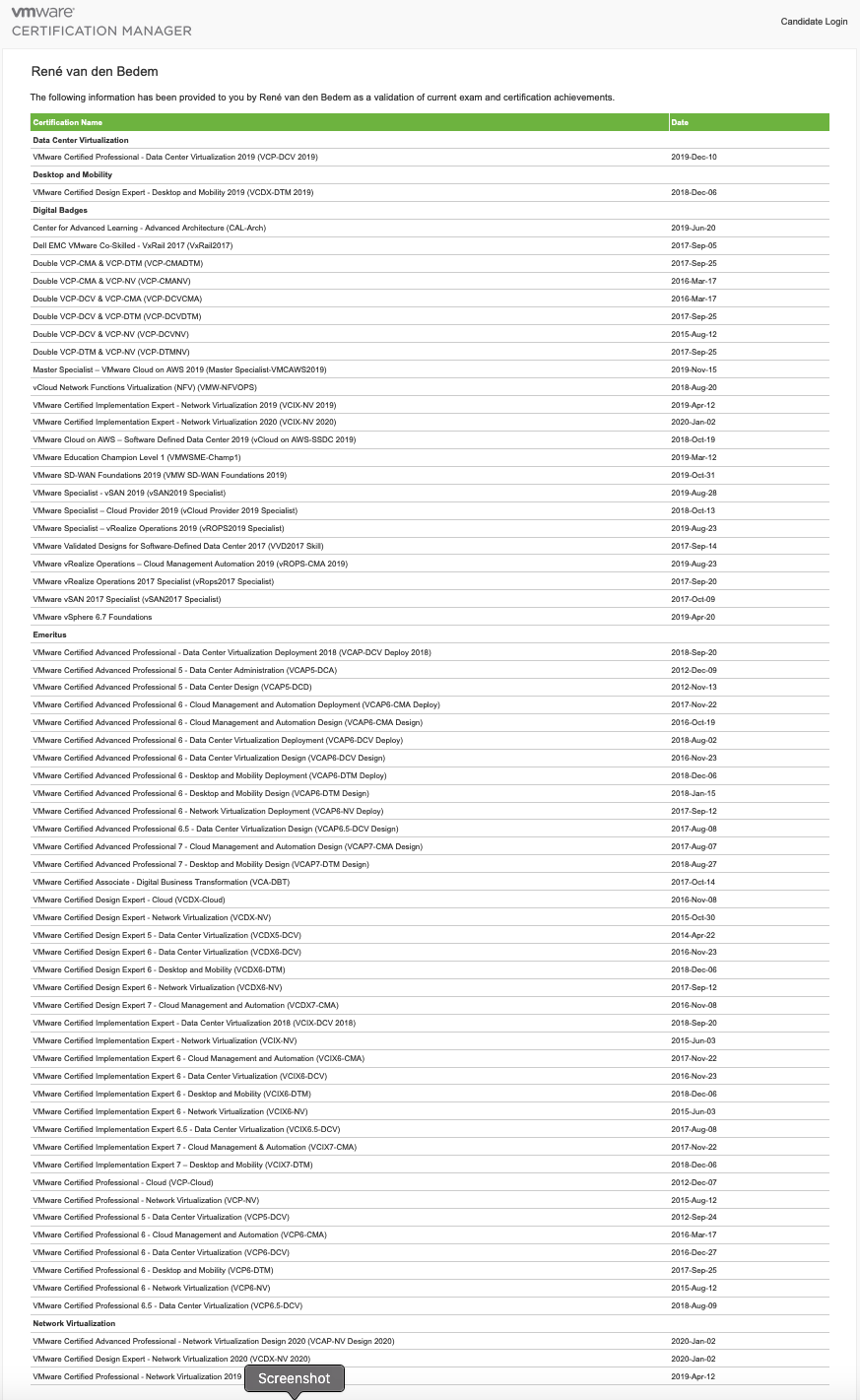
  • Resulting in a VMware transcript that gives the impression that your skill-set is not current. Which is unfair, since we (and our employers) spend a significant amount of time and money remaining current and this is short-changing certified individuals at the advanced professional level. Looking at my current transcript below, I have passed the every VCAP exam for every track (with the exception of VCAP-CMA Deploy 2018) and it looks like I am not current for DCV, CMA or DTM (I took the VCAP-NV Design 2019 exam in early 2020, hence the 2020 certs are listed)

It should be mentioned that VMware does a great job of releasing new VCP exams for every track each year (normally during February of each year). VCP 2019 does allow some “grandfathering” based upon free and paid courses.

What do I think needs to change?

  • Release advanced professional exams for every track every year. The typical incubation period for developing a single VCAP exam is approximately 1.5 years. I have been involved in this process and it takes a ton of work from a team of people. In my opinion, releasing these every year is not realistic.
  • Or change the logic to allow “grandfathering” for people who have achieved the current exams in previous years,
  • Or change the “Emeritus” logic to keep certifications derived from the latest exams current,
  • And align the VMware Certification and VMware Partner Central policies to match.

I have created a PDF that breaks down the upgrade logic for every 2019 expert and advanced certification – VCIX was ignored, since these are digital badges (located in VMware Certification Manager – see PDF for exact location). Some interesting points to note:

  • The VCAP-DCV Deploy and Design 2019 certifications list 2019 exams (3V0-21.19 and 3V0-22.19) that were never released.
  • The VCAP-CMA Deploy 2019 exam (3V0-31.19) is listed as active, but cannot be scheduled in the USA.
  • VCDX 2019 certifications for DCV, NV and CMA were never created.
  • The VCDX-DTM 2019 certification allowed an upgrade from VCAP7-DTM Design (did not enforce VCAP-DTM Design 2019).

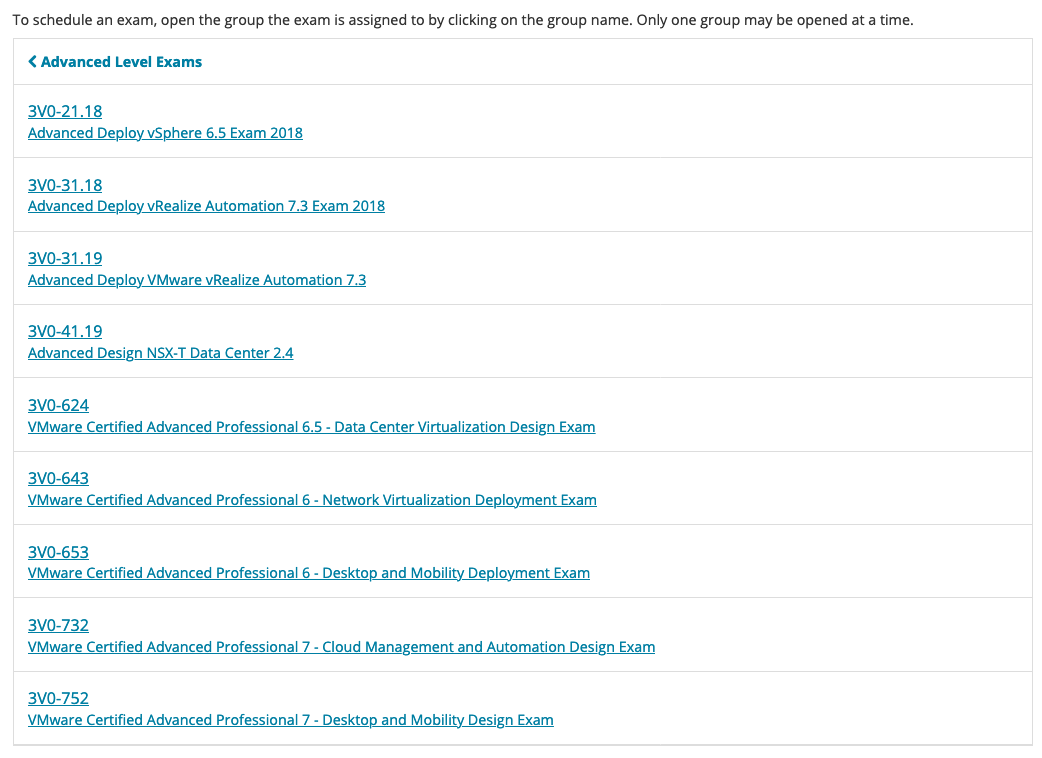
For completeness, here is the current list of VMware Advanced Professional exams (3V0-6nn – developed in 2016, 3V0-7nn – developed in 2017, 3V0-nn.18 developed in 2018, 3V0-nn.19 developed in 2019):

US Green Card process for VCDX, NPX or DECM-EA

I moved to the US in 2016 on an E3 work visa (similar to a H1B visa but linked to an Australian/US trade agreement, renew every 2 years). In 2017, I started the Green Card process by submitting the I-140 to qualify and then the I-485 once it was approved. This post documents my experience and the steps I followed, which may be different for your situation and circumstances.

Green Card is slang for the card you get as a US Permanent Resident, also known as the I-551 form.

I did not use a company sponsor or lawyer or interpreter. For my family and I, it cost $4,370 and it took 2 years and 1 month from start to finish. In hindsight, I could have accelerated the process by submitting the I-140 & I-485 at the same time and paid the Premium processing fee of $1,410.

As a VMware Certified Design Expert (VCDX), Nutanix Platform Expert (NPX) or a Dell-EMC Certified Master Enterprise Architect (DECM-EA), you can follow the process yourself (corporate sponsor or immigration lawyer not required), but it makes sense to be a native or fluent English speaker and to be very detail oriented. You save yourself an estimated $10K to $20K in legal and interpreter fees, but you need to be patient and be prepared to wade through the instructions and caveats. Use these tips to prepare your paperwork.

Also, the USCIS publishes a monthly Visa bulletin that lists the number and backlogs for all US visa types.

Part 1 – The I-140

  • Cost: $700 for standard processing (took 14 months to complete)
  • Accelerated Processing: $700 (I-140) with $1,410 (Premium Processing fee) and $1,225 (I-485 for you) and $1,225 (I-485 for each dependent)
  • MyUSCIS portal: You can track the status of your application
  • USCIS: I-140 Form & Instructions

You submit this for yourself as the primary worker, you do not need to submit this for your family as dependents. This application is the most important because it qualifies you for the Green Card based upon your abilities.

As a VCDX, NPX or DECM-EA, you should be using the “Alien of Extraordinary Ability” category (I-140 Part 2 section), where you need to provide evidence for the following 10 categories. You need to meet at least 3 of these categories to qualify.

  • Evidence of receipt of lesser nationally or internationally recognized prizes or awards for excellence: VCDX, NPX, DECM-EA, Exam Development SME, any professional, advanced professional, master specialist and specialist certifications.
  • Evidence of your membership in associations in the field which demand outstanding achievement of their members: Community programs such as vExpert, vExpert sub-programs, NTC, Cisco Champion, etc.
  • Evidence of published material about you in professional or major trade publications or other major media: Any technology articles where you are mentioned by name.
  • Evidence that you have been asked to judge the work of others, either individually or on a panel: VCDX/NPX/DECM-EA Panelist, Any certifications where you were part of the exam development, any community judging.
  • Evidence of your original scientific, scholarly, artistic, athletic, or business-related contributions of major significance to the field: Any blogs you have authored, books you have authored or reviewed, events you have attended as an official blogger. Any technology patents you have.
  • Evidence of your authorship of scholarly articles in professional or major trade publications or other major media: Magazines, Books, Chapters of books or posters you have authored or contributed to.
  • Evidence that your work has been displayed at artistic exhibitions or showcases: User groups, Conferences you have presented at, Podcasts you have been interviewed on.
  • Evidence of your performance of a leading or critical role in distinguished organizations: Any customer reference videos you have featured in, any industry awards your company has won due to your efforts.
  • Evidence that you command a high salary or other significantly high remuneration in relation to others in the field: If you are paid above average for your skill-set in the market place.
  • Evidence of your commercial successes in the performing arts: If you own and operate your own technology company.

Part 2 – The I-485

  • Cost: $1,225 for standard processing per person (took 11 months to complete)
  • Accelerated Processing: Not an option, need to do this at the I-140 stage.
  • MyUSCIS portal: You can partially track your I-485 progress.
  • USCIS: I-485 Form & Instructions

You are now entitled to Permanent Residency, but now a visa needs to become available in your category. The I-485 is the process to get you and your family the Green Card.

You submit as the primary applicant and then link the application of each dependent to your application.

Once you submit, you cannot leave the US for the first 6 months. After 6 months you can travel for an emergency by submitting the I-131 request with the appropriate paperwork. If you do not want to leave the US while this process completes, you can apply to extend your I-94 if your work visa is going to expire using the I-129 form (your employer needs to do this for you).

Within 1 month of submitting, you will receive an appointment form by post to attend the Bio-Metrics data collection for you and your family.

Part 3 – The I-485 Interview with I-693 Form (Medical Report)

  • Cost: $610 for the medical (per person, varies per medical facility)
  • Accelerated Processing: N/A
  • My USCIS portal: Will show the Bio-Metrics collection phase as completed. The interview will not be displayed.
  • USCIS: I-693 Form & Instructions

When you receive your I-485 interview appointment by post (took 8 months from I-485 submission, 1 month before the interview date), you immediately book an appointment with an approved doctor. This is because your medical report (I-693) is only valid for 60 days.

Every applicant needs to attend the interview with a valid and current medical report (I-693).

When you attend your I-485 interview, a government officer takes you through your application and verifies the original copies of your submitted paperwork. You do not get told the result of your interview, you have to wait.

You should also bring an updated list of the 10 qualification categories (from the I-140) with evidence to cover the time between when you submitted the I-140 and the interview.

Part 4 – Delivery of the Green Card

  • Cost: N/A
  • Accelerated Processing: N/A
  • MyUSCIS portal: Will show the Biometrics collection phase as completed. Completion of interview or issuance of Green Card will not be displayed.

They do not tell you it is coming, they do not tell you it is approved, it just turns up one day in your letter box as USPS Priority Mail (took 2 months from I-485 interview). You will receive all Green Cards for you and your family at the same time. A few days after the Green Cards arrive, you will receive an approval letter from USCIS. I suspect this is because USPS Priority mail moves faster than First Class mail.

Once you receive your Green Card, you can now apply for TSA Pre-Check and Global Entry. This also means you can get your driving license issued for 4 years instead of your I-94 expiry date. After five years you can apply for US Citizenship.

vSphere Feature Request – VM Hardware Wizard

As an Enterprise Architect working for a VMware Partner, I am involved in many vSphere Health Checks. One of the most common mistakes we report are incorrectly configured Virtual Machine Hardware settings.

In particular, business critical databases built with LSI Logic SAS with a single VMDK and an E1000 vNIC and NUMA boundaries exceeded. And the customer wonders why there are performance issues on their brand new hardware platform or VMConAWS SDDC?

It would be great if vSphere would allow Operators to follow a wizard for this type of build and not be an expert on the nerd-knobs of VM Hardware. Envision a “Business Critical App” option added to the “New Virtual Machine” Wizard. This removes the need for vSphere customers to have to read the best practices guides for Oracle Databases, MS-SQL Server, Cisco UC, SAP, EPIC, MediTech, etc. This would take care of the ParaVirtual vNIC, ParaVirtual vSCSI configuration, dedicated VMDKs for OS/APP/DB/LOG/TEMP, respecting NUMA boundaries, VM Latency setting, etc.

Imagine the tens of thousands of man-hours and open tickets saved by customers, partners and VMware if we had this feature?

Nutanix .NEXT 2019 EU Announcements

This week, Nutanix .NEXT 2019 EU was held in Copenhagen, Denmark. There are six announcements of note:

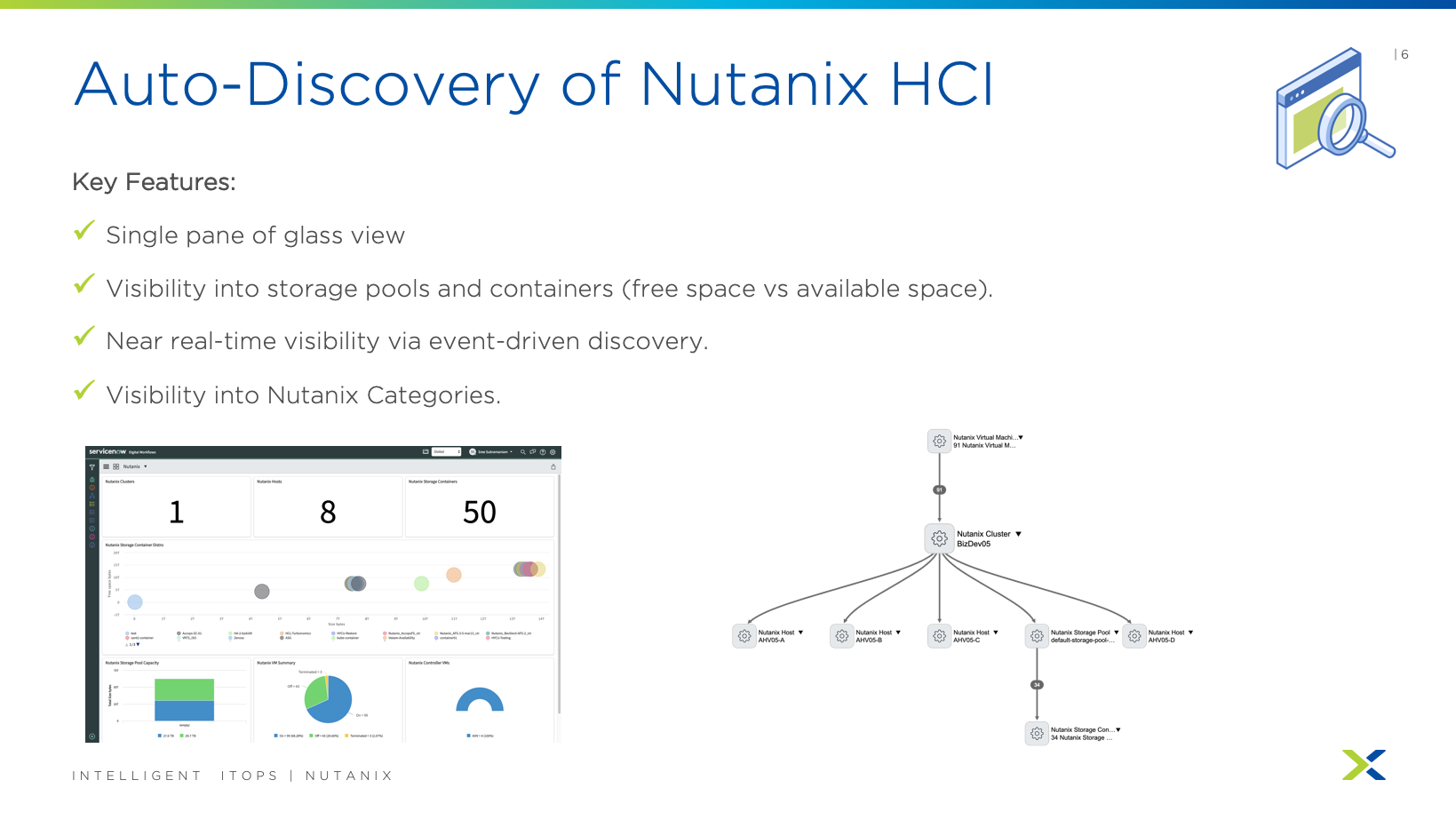
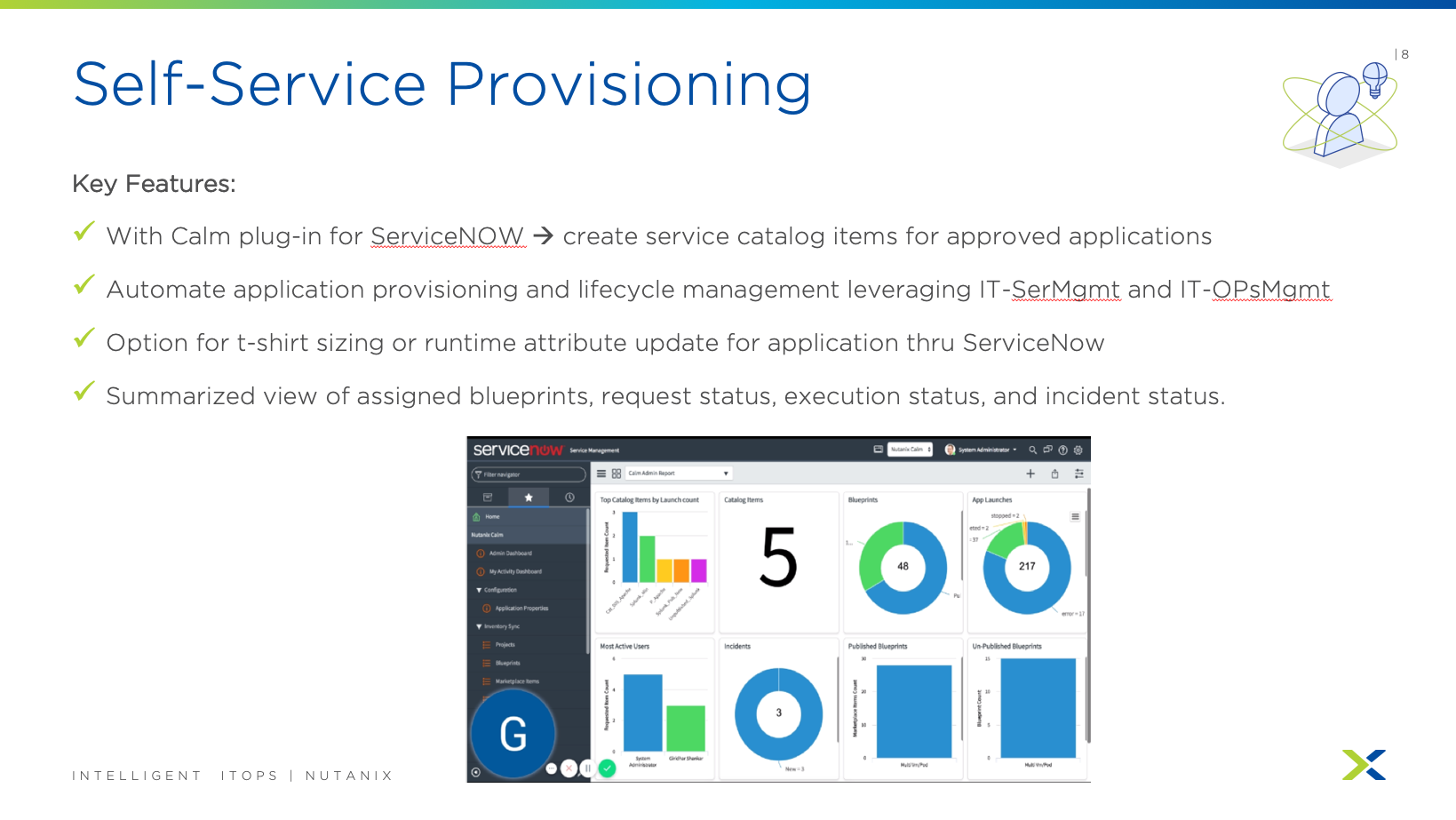
  • ServiceNow integration with Nutanix for Private Cloud IT Automation. This includes Auto-Discovery for CMDB, Alerts Integration for Event and Incident Management & Provisioning Automation for Service Requests.
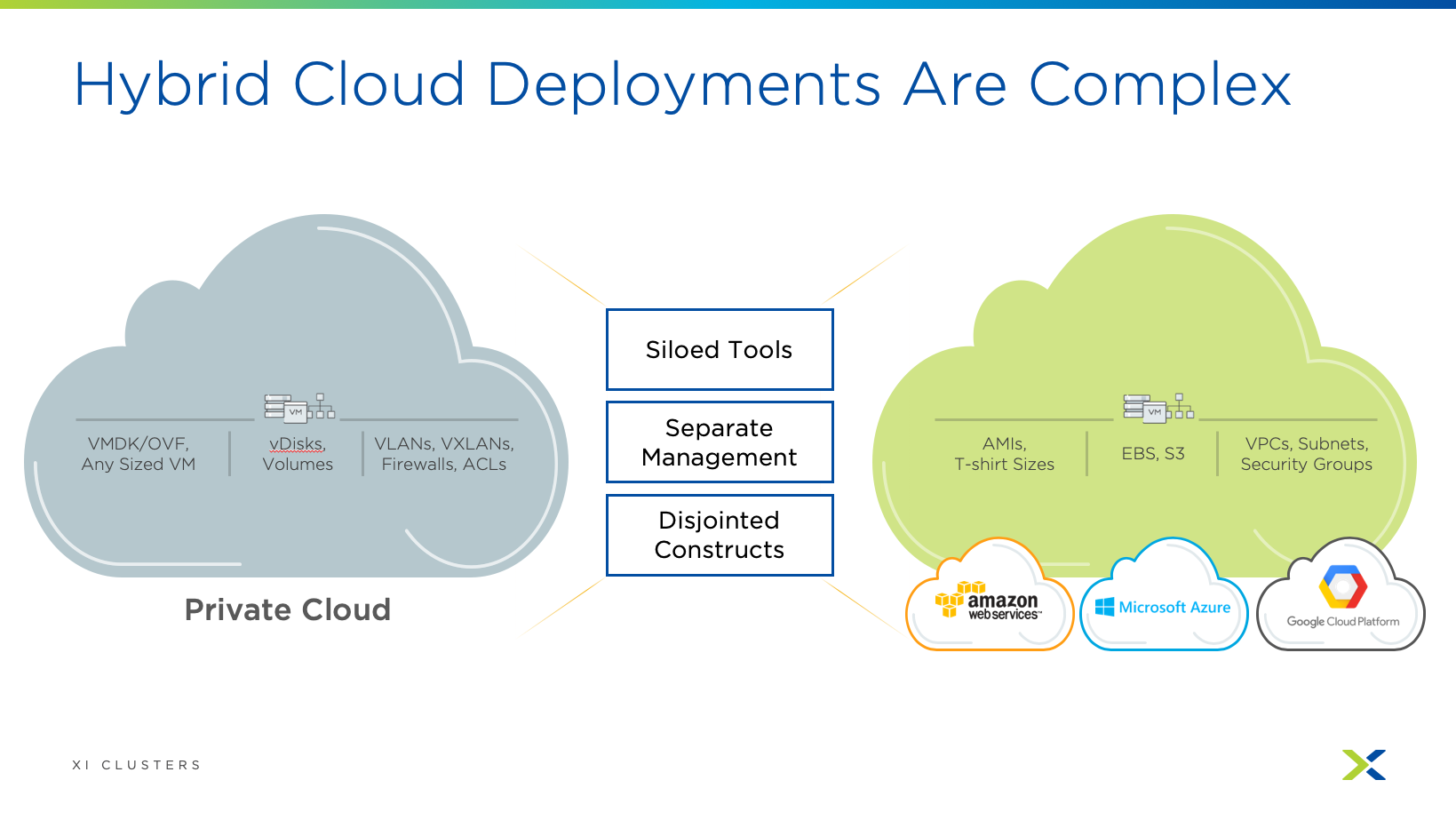
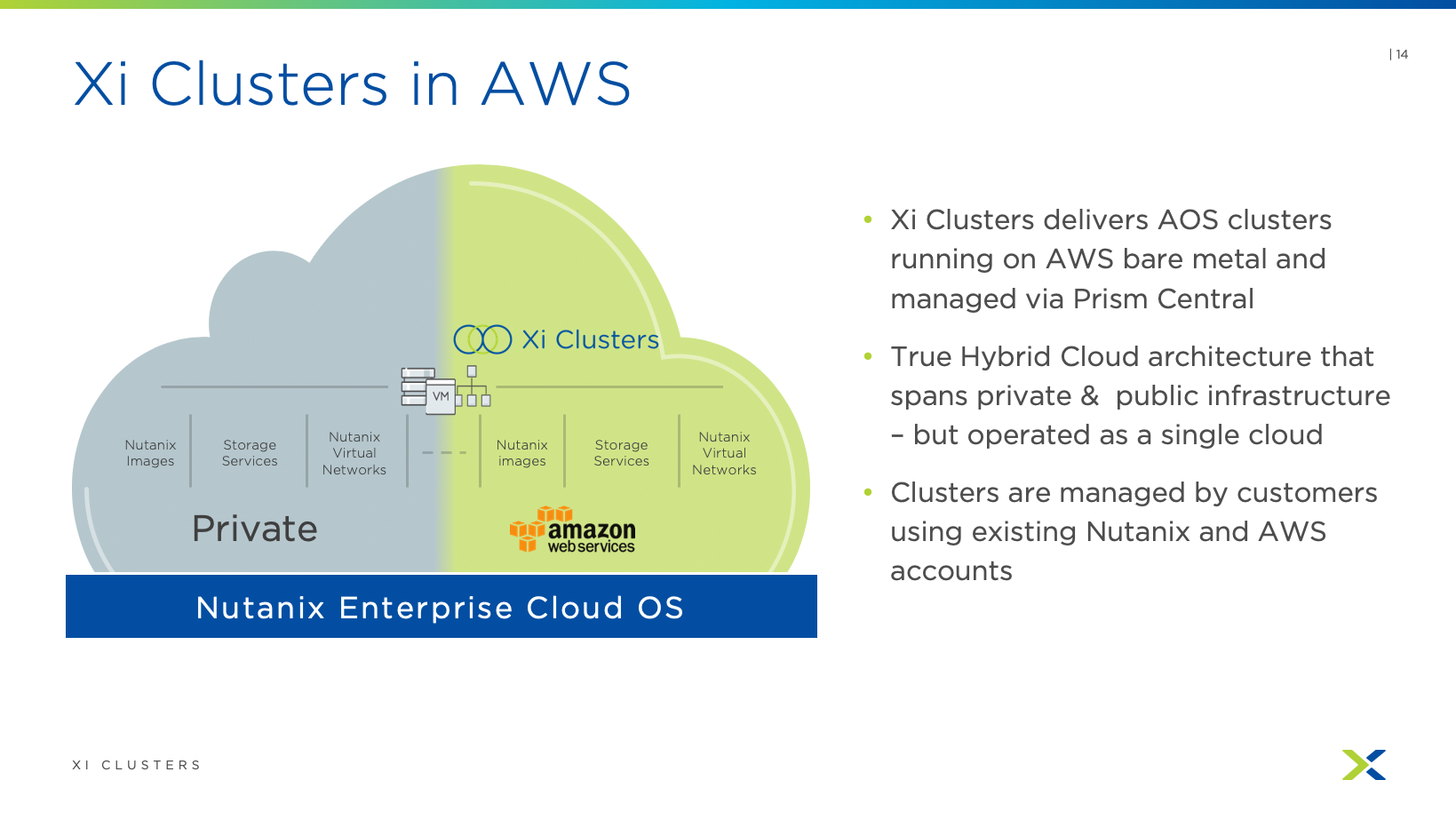
  • Xi Clusters on AWS ready for Early Access & Tech Preview.
  • Xi Beam supports Nutanix On-Prem Security Compliance (AHV) and Private Cloud Metering & Chargeback.
  • Nutanix Insights announced. This is a predictive health and support automation service that leverages Nutanix Pulse.
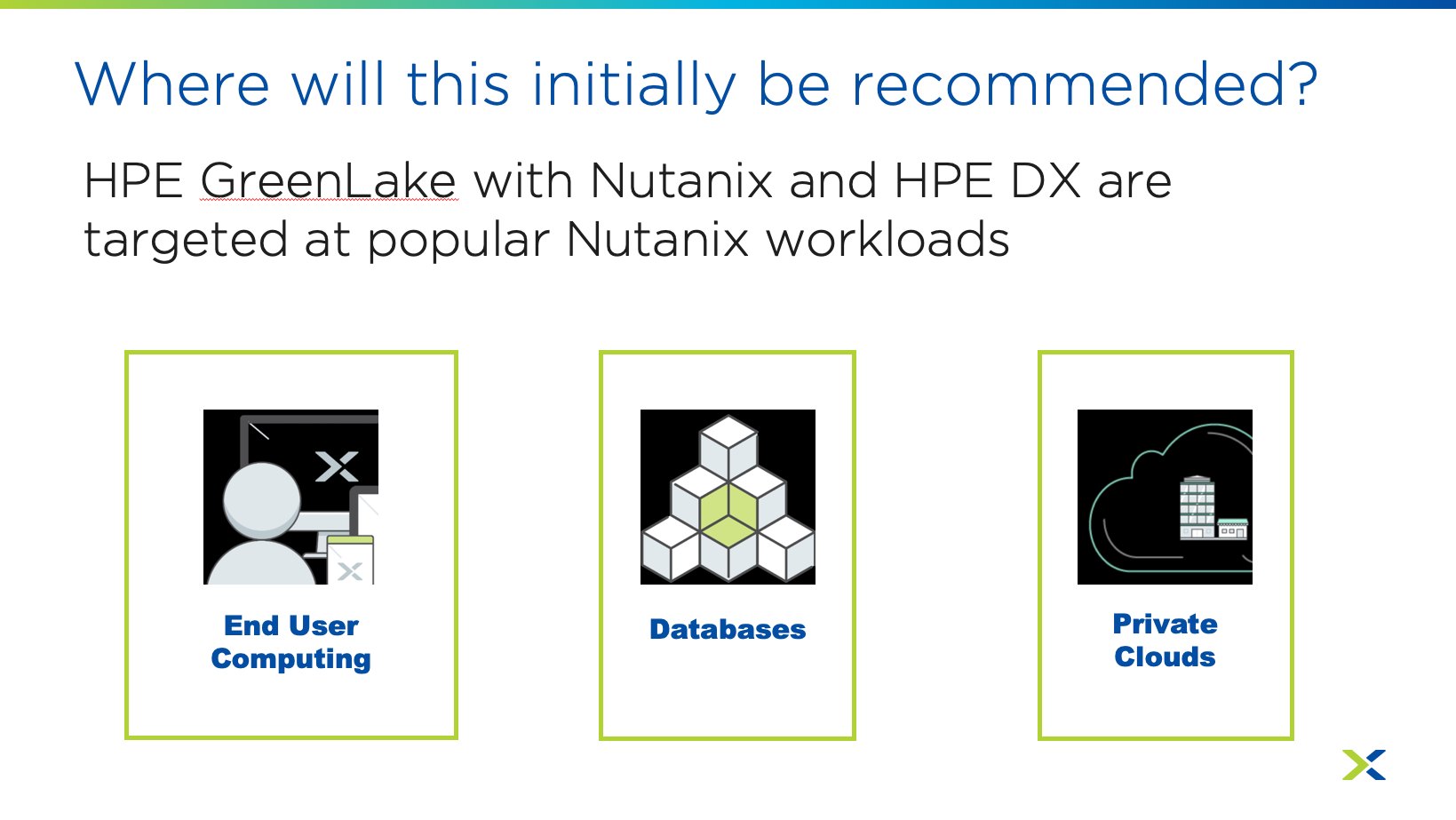
  • HPE GreenLake with Nutanix-as-a-Service.
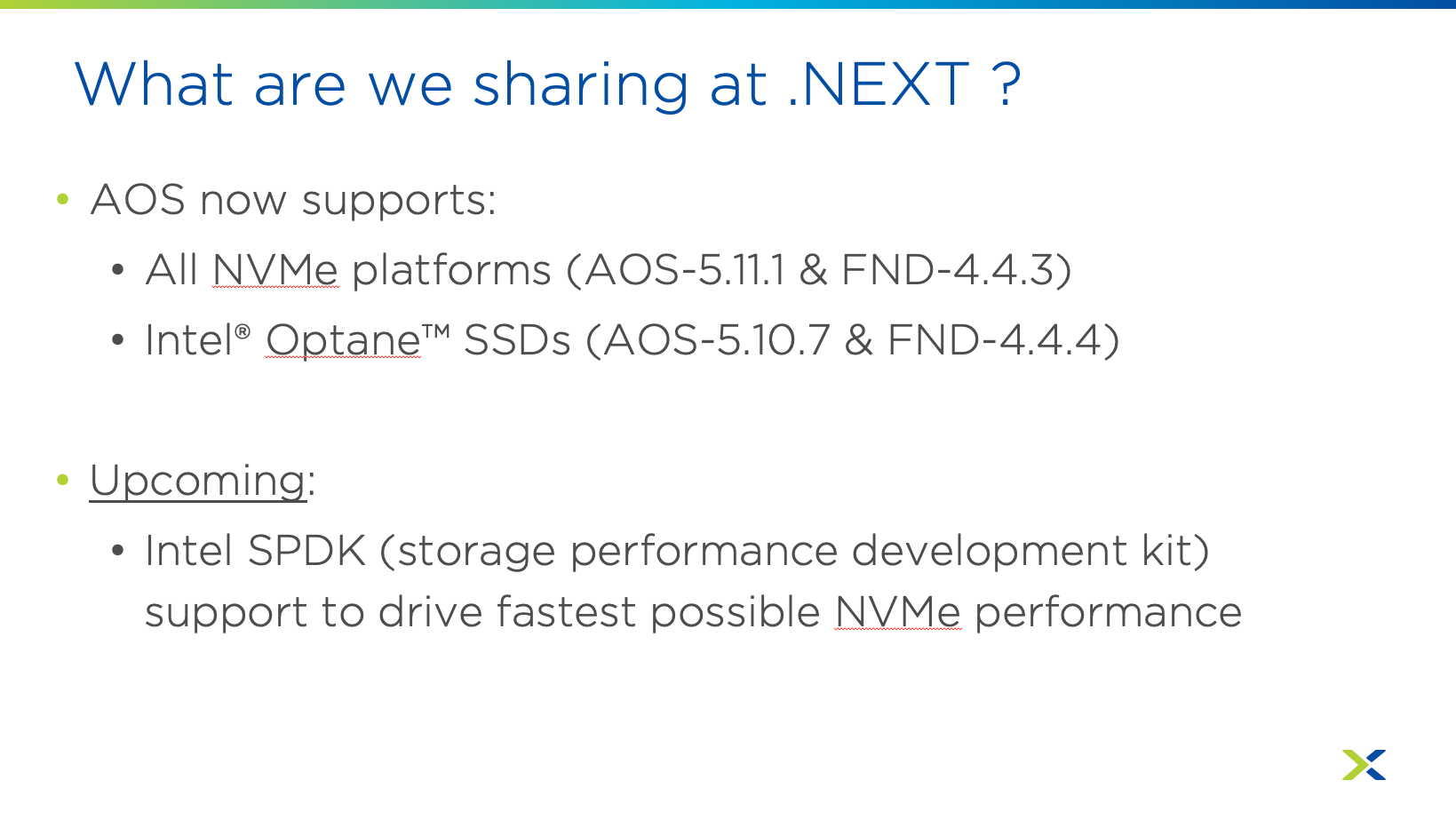
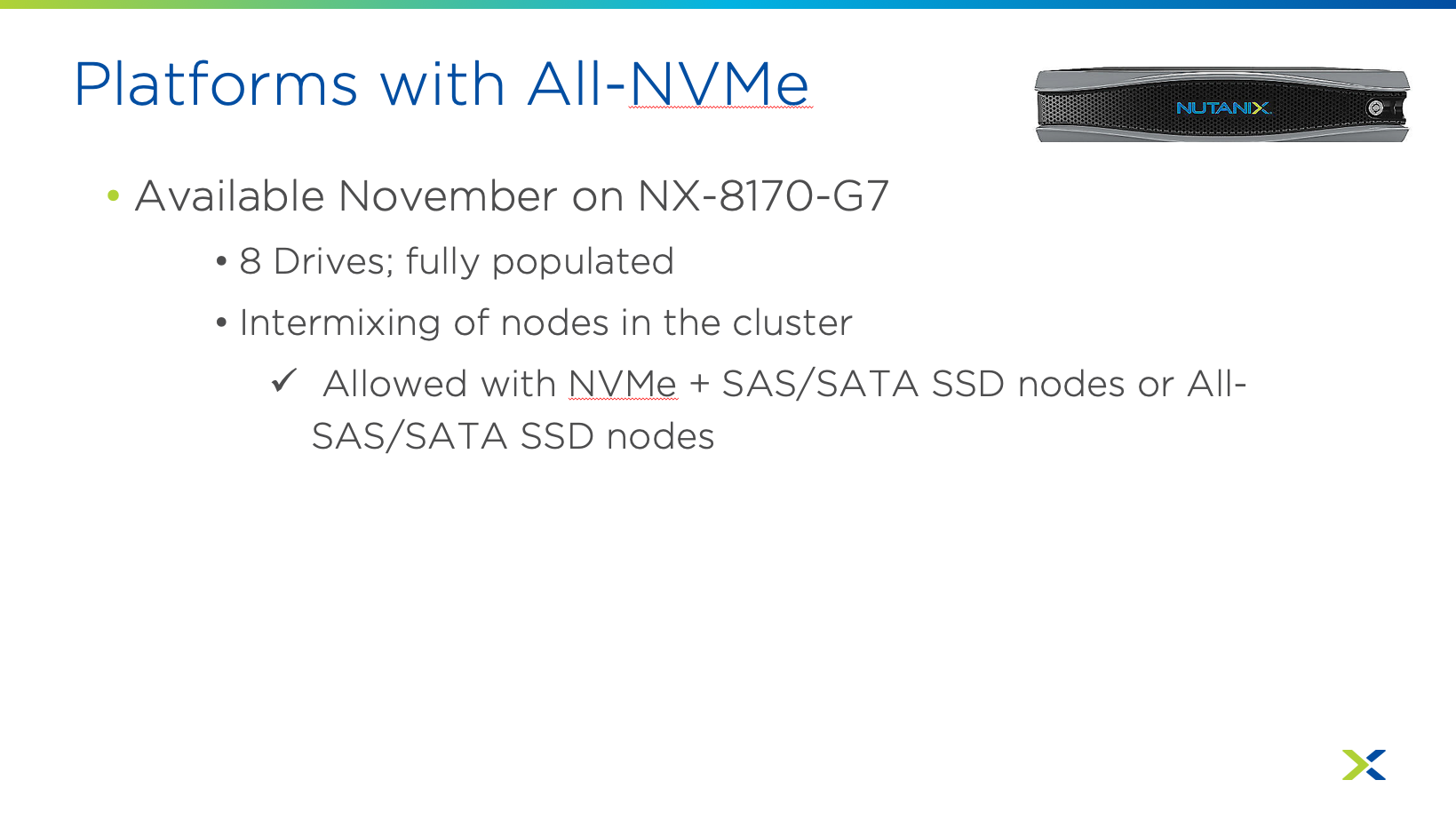
  • Nutanix AOS supports all NVMe platforms and Intel Optane SSDs.

Screenshots: